Landscape & construction estimating · 2026
- My own product
- In development
An AI takeoff tool that reads a plan's legend and scale, so estimators only have to trace
A browser tool that reads a plan's legend and scale with AI, lets an estimator trace each material at true scale, and exports a bill of quantities. I built it after testing on real plans exactly where full automation breaks.
My own product, built from takeoff work for a landscaping contractor. It's in development and sits behind a login.
Screenshots use a self-drawn sample plan with fictional data, not a client drawing, and the AI responses shown are sample output rather than a live run.
- Product
- Plan-Markup (my own)
- Industry
- Landscape & construction estimating
- My role
- Research, design and build
- Year
- 2026
- Status
- In development
By Joshua Jager-Hoare · Updated
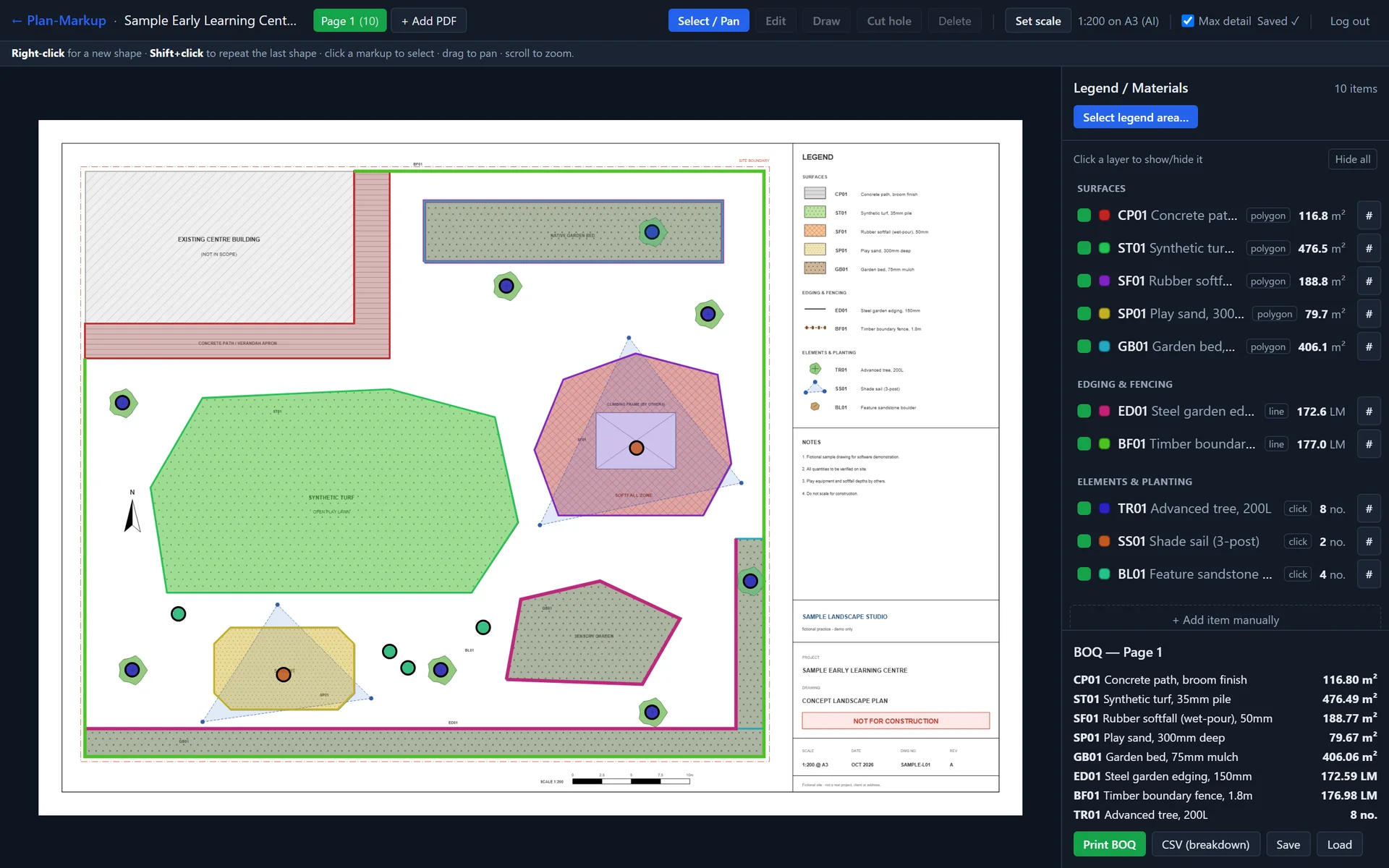
The brief
A landscaping and playscape contractor that works on childcare centres needed quantities from large plan PDFs before it could quote: square metres of turf and softfall, linear metres of edging, counts of trees and play equipment.
I started by trying to automate the whole takeoff in Python. On the first plan, an A0 sheet at 1:110, it worked well: the shade sails were the only dashed paths in the PDF, so I could pull every panel out of the vector data exactly, and I found the trees by colour and their drawn outlines. The next two plans hit a wall. Their surfaces were drawn as hatching inside boundaries, with no colour fills, and nothing in the file separated a region's edge from its hatch lines.
That's why quantity surveyors still trace these plans by hand. So I stopped trying to automate the tracing and built a tool that makes tracing fast, using AI only where it's reliable: reading the legend and reading the scale.
What I built, and why
Find where automation breaks before building a product
I began with a config-driven Python pipeline (render, calibrate, regions, overlays, segment, measure, bill of quantities, written spec) and a step-by-step SOP.
Where a region was cleanly bounded, the numbers came close to the client's own bill of quantities. On hatch-only surfaces, automatic area measurement broke into fragments. Knowing exactly where it fails told me what the product should automate, and what it should leave to a person.
AI reads the legend, and the legend picks the tool
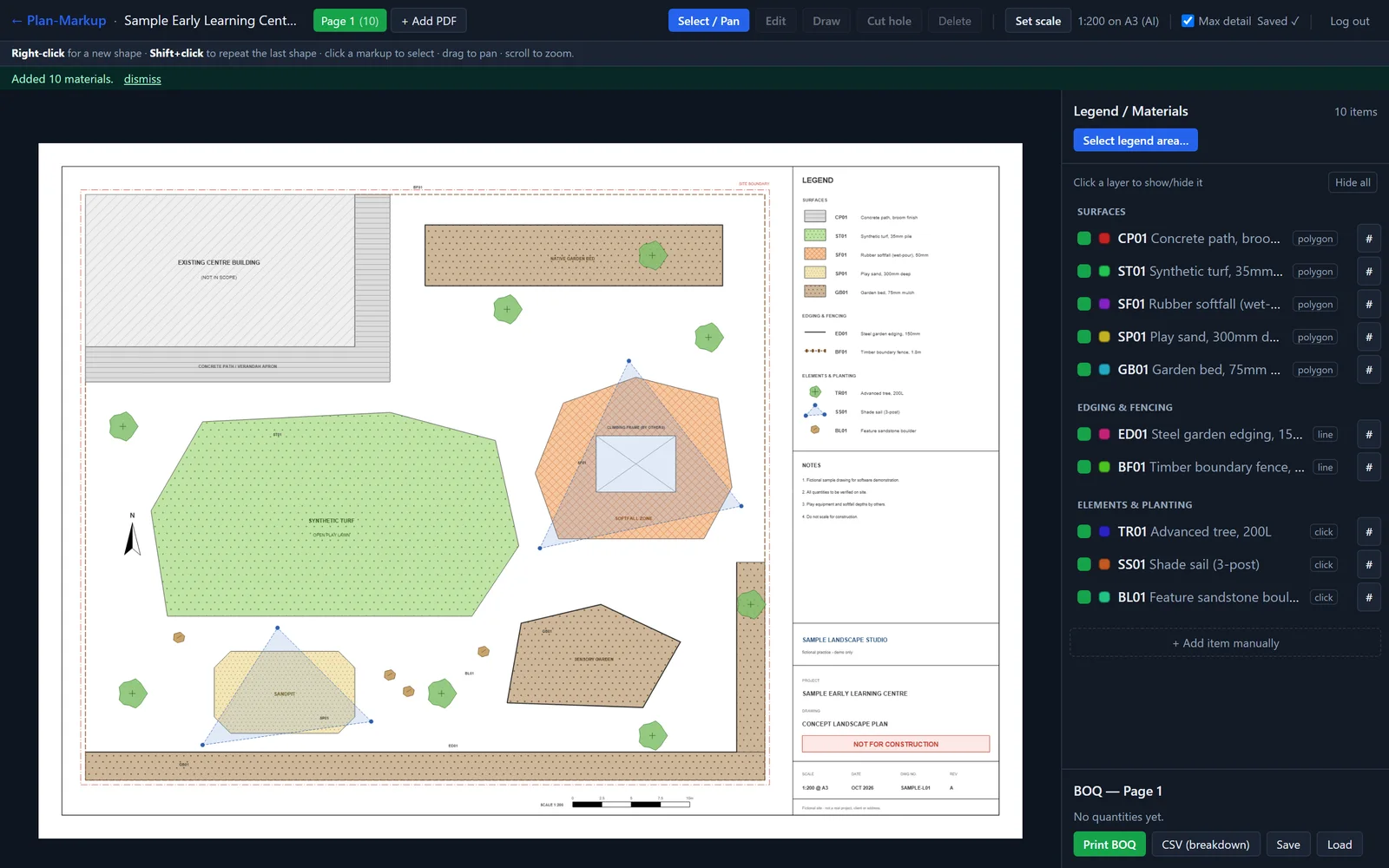
Claude reads a boxed legend region, rendered at high resolution from the vector source rather than cropped from a low-res image. It returns every item classified as an area (m²), a length (LM) or a count (no.), and that classification picks the drawing tool.
Box several regions and the results add up, de-duplicated by code. Legend rows then work as layer toggles, and inspecting a layer numbers its shapes on the plan to match the quantity list.
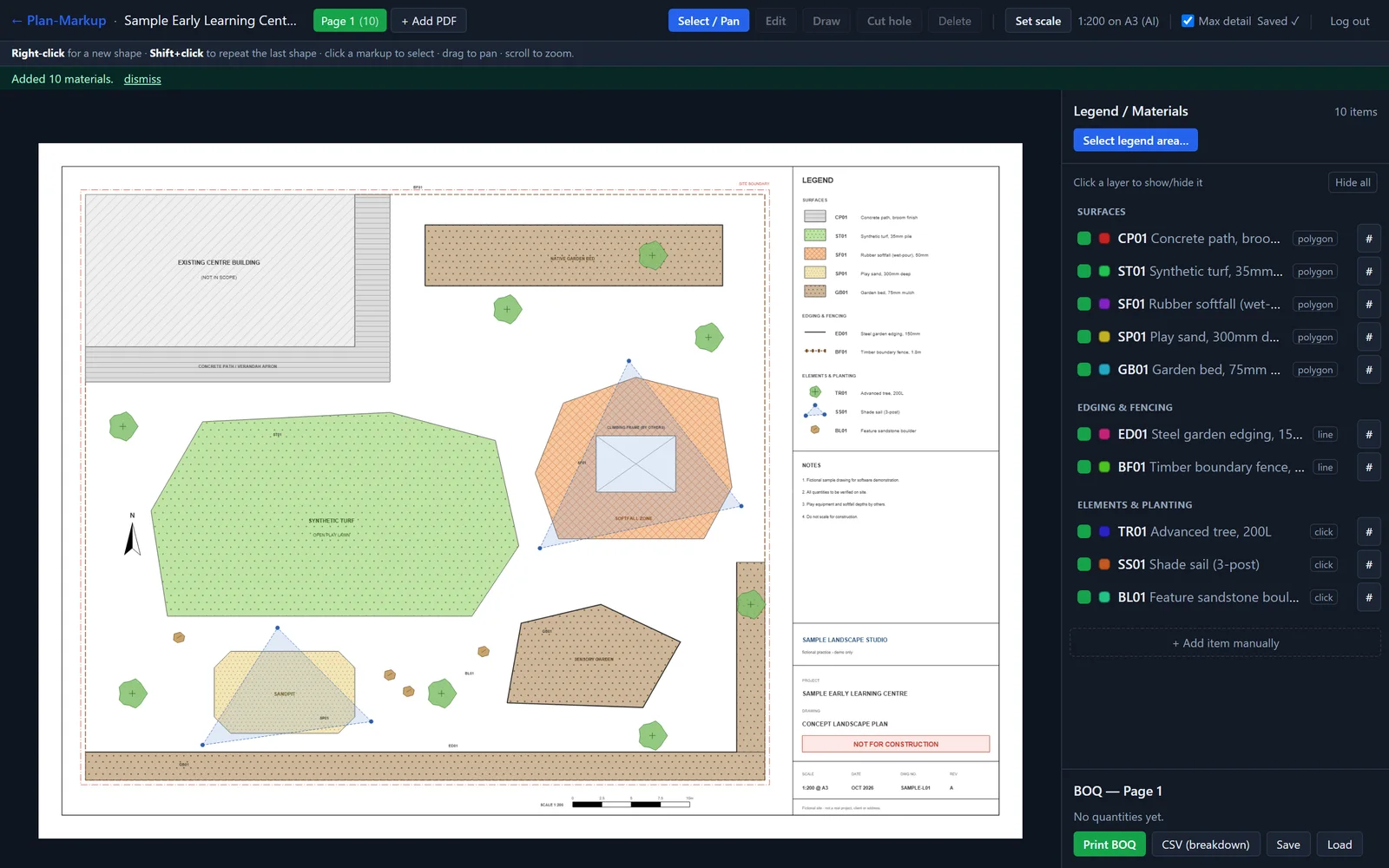
The legend, read and classified: 10 materials as area (m²), length (LM) or count. Sample data, not a live run.View full size: The legend, read and classified: 10 materials as area (m²), length (LM) or count. Scale from the page's true dimensions
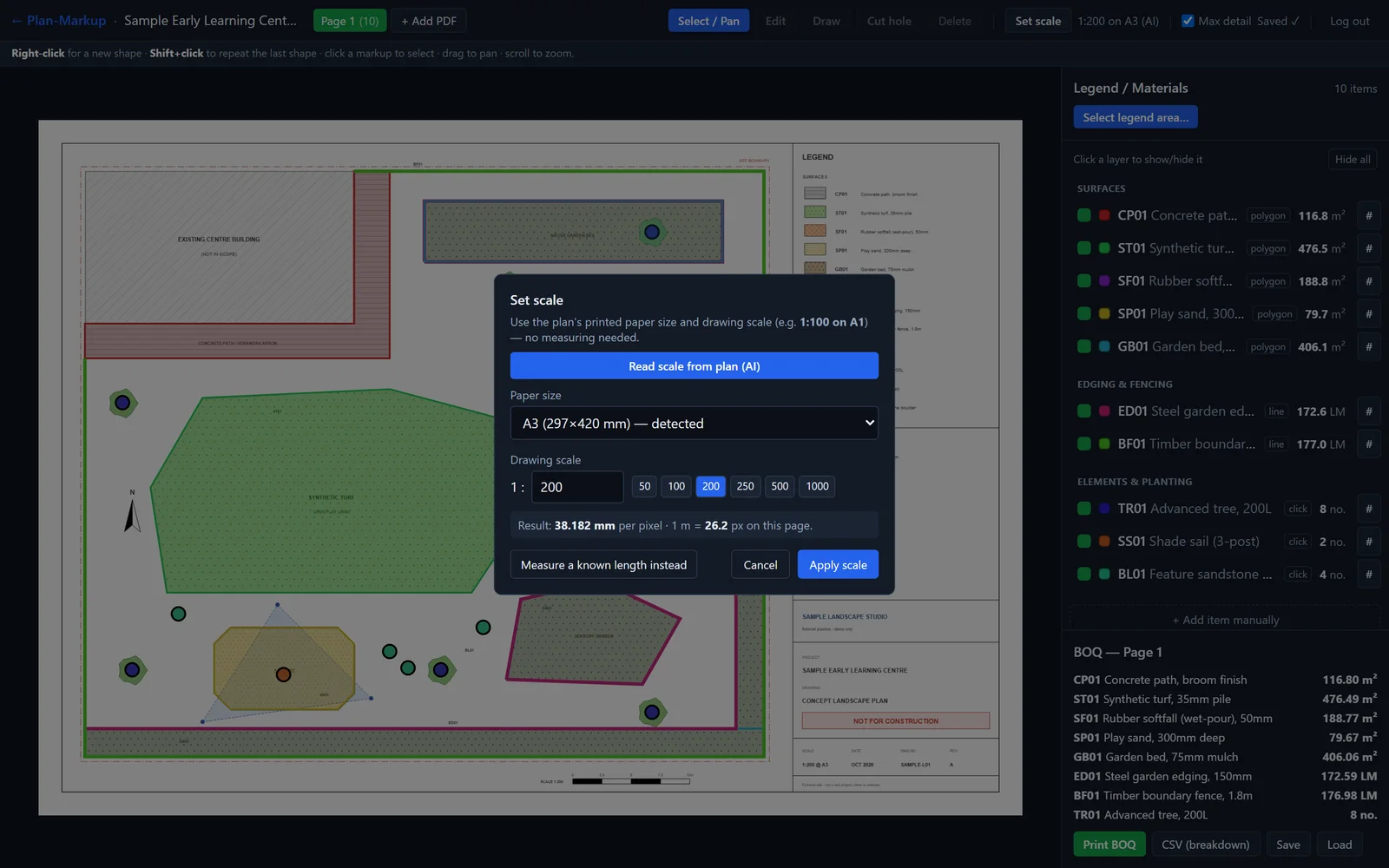
Claude also reads the drawing scale and sheet size from high-res crops of the title block. The scale maths uses the page's true PDF dimensions, because snapping to the nominal paper size caused up to about 12% area error on off-size pages.
If the title block can't be read, there are two fallbacks: paper size plus ratio, or measuring a known length on the plan.
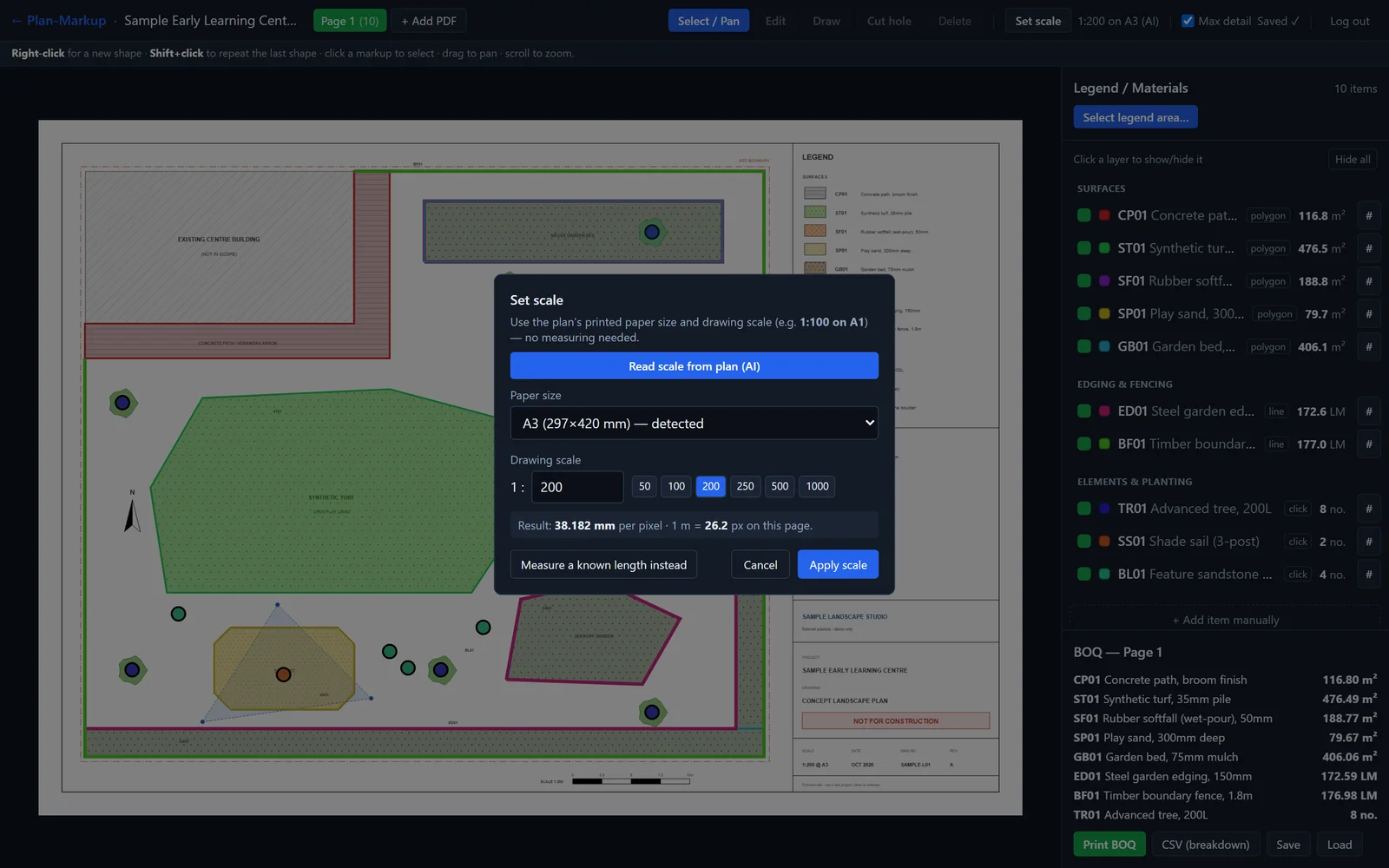
Read the scale with AI, pick the paper size and ratio, or measure a known length. Sample data, not a live run.View full size: Read the scale with AI, pick the paper size and ratio, or measure a known length. Drawing tools built for speed
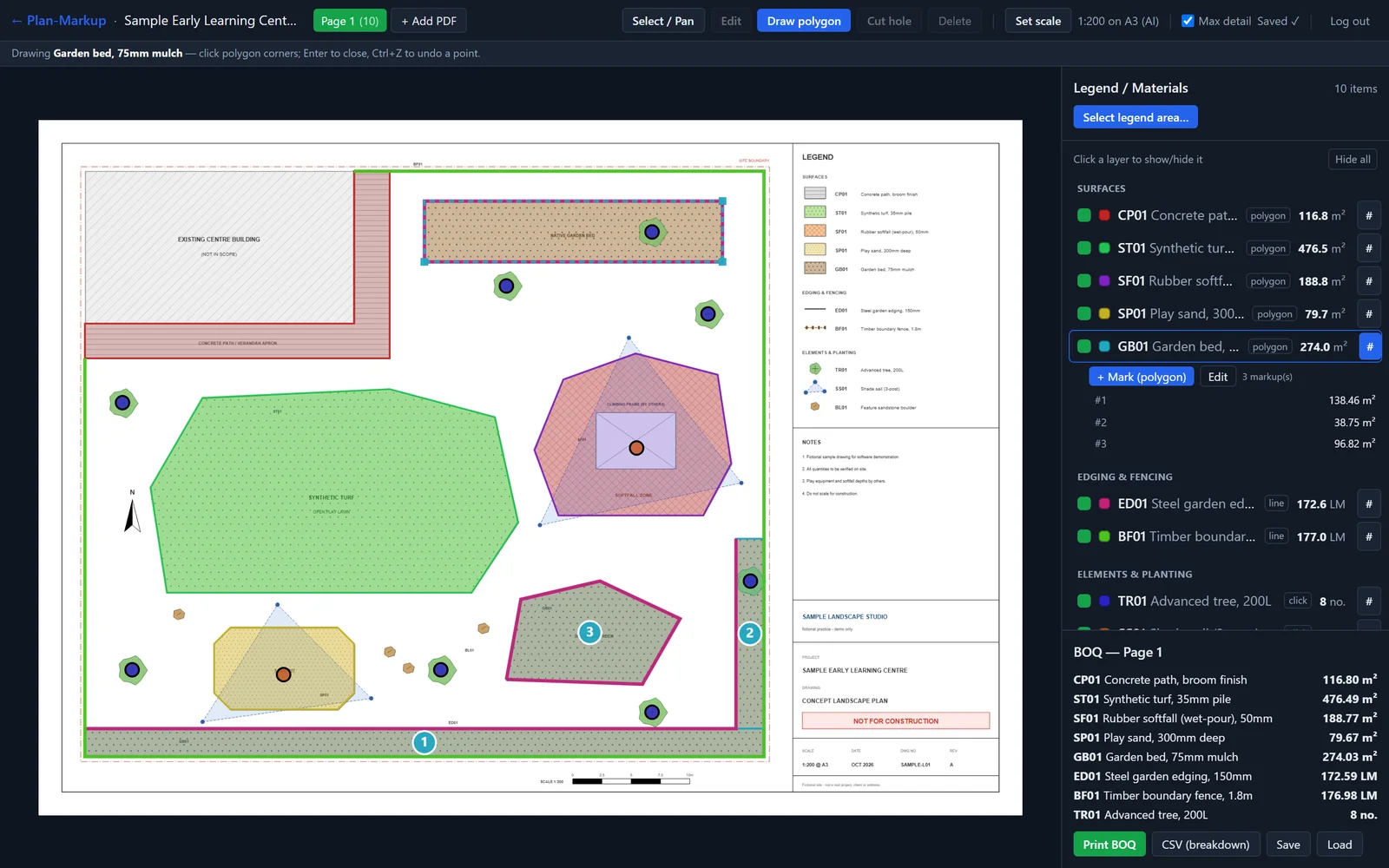
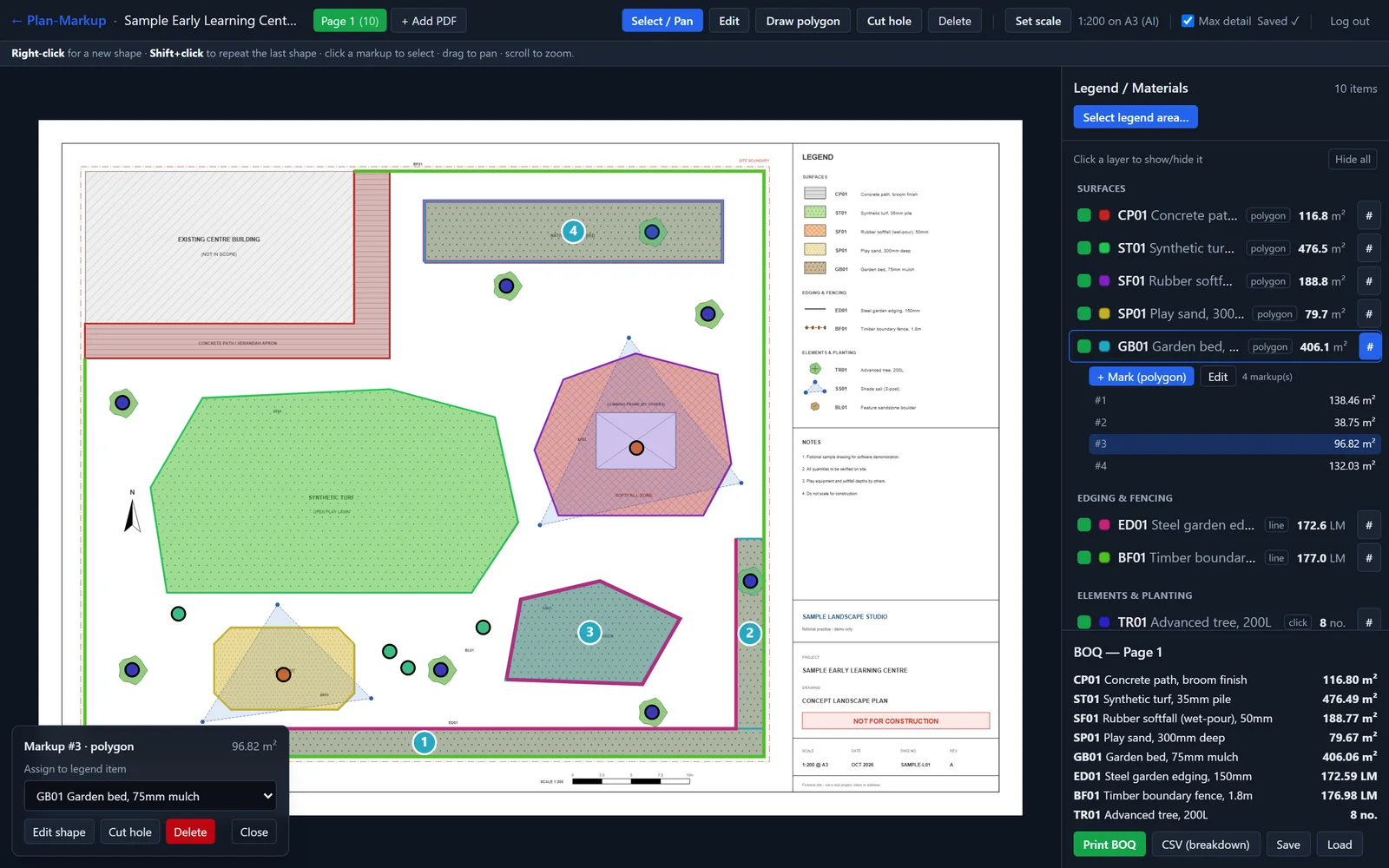
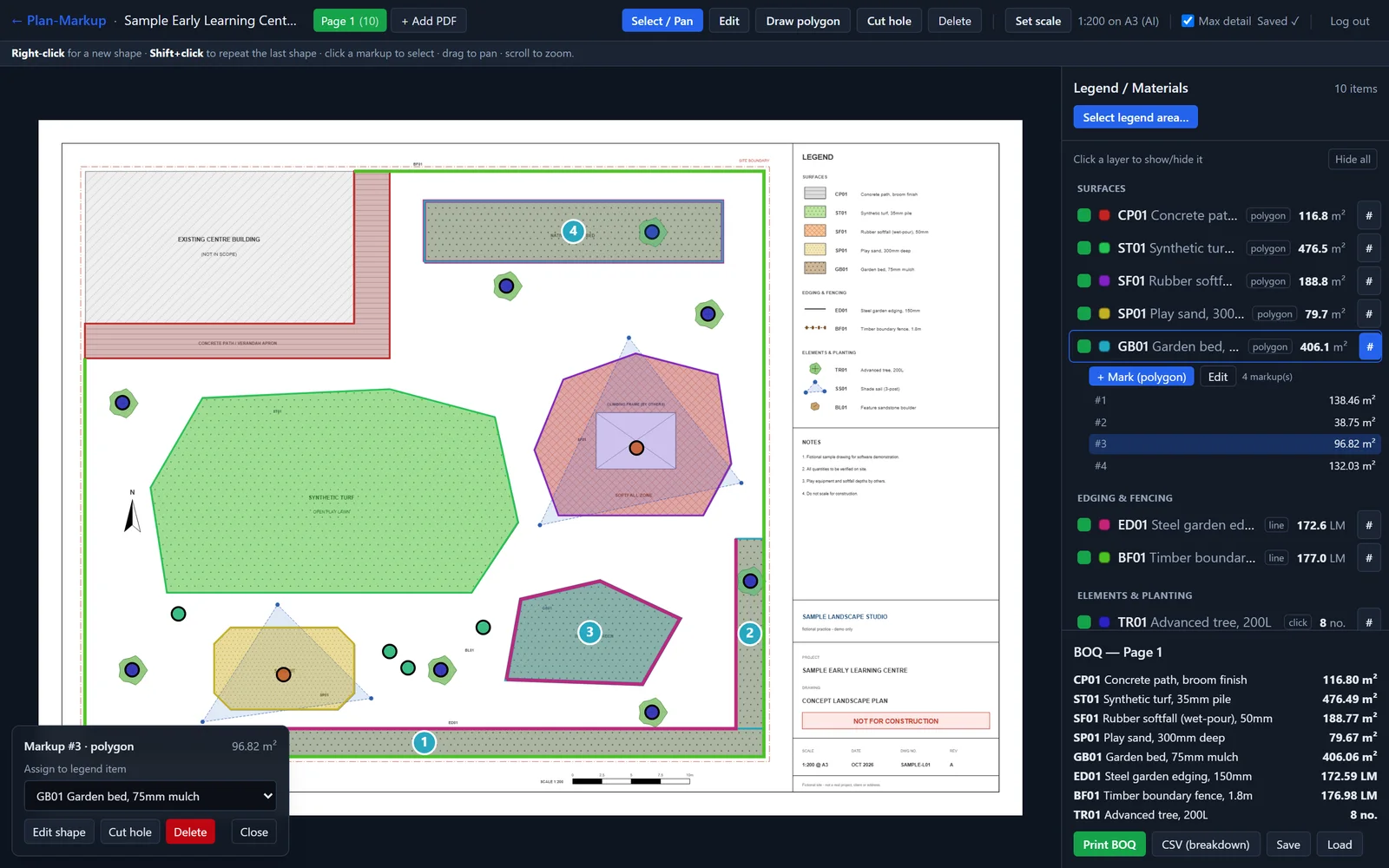
Pages render in the browser with pdf.js at full vector detail, so small codes and dimensions stay sharp at any zoom. Polygon, line and click-to-count tools have editable vertices, and holes for cut-outs, so a sandpit inside turf leaves a net area.
The canvas comes first: right-click starts a shape, Shift-click repeats the last material, Enter finishes and Ctrl+Z undoes. Quantities update as you draw.
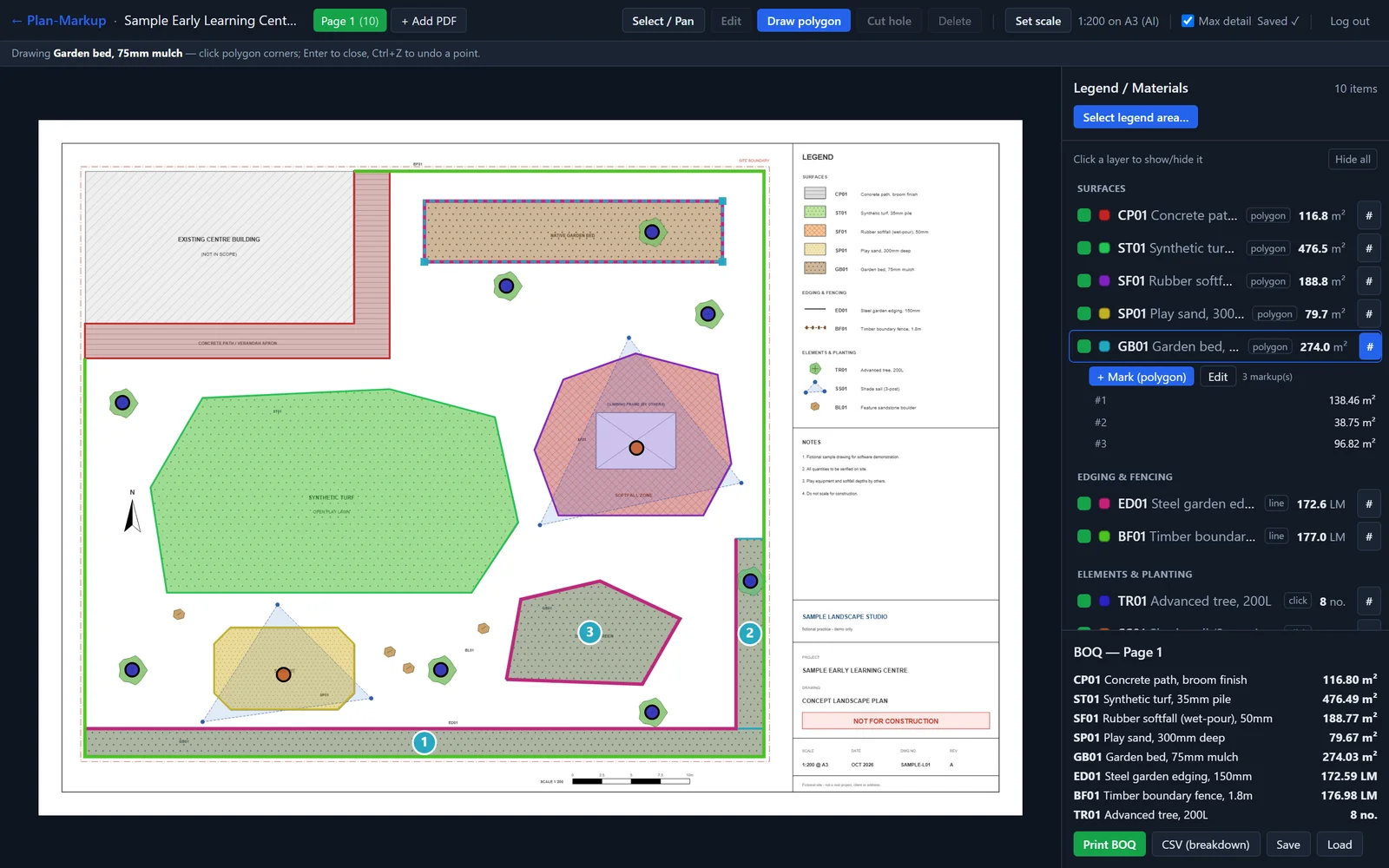
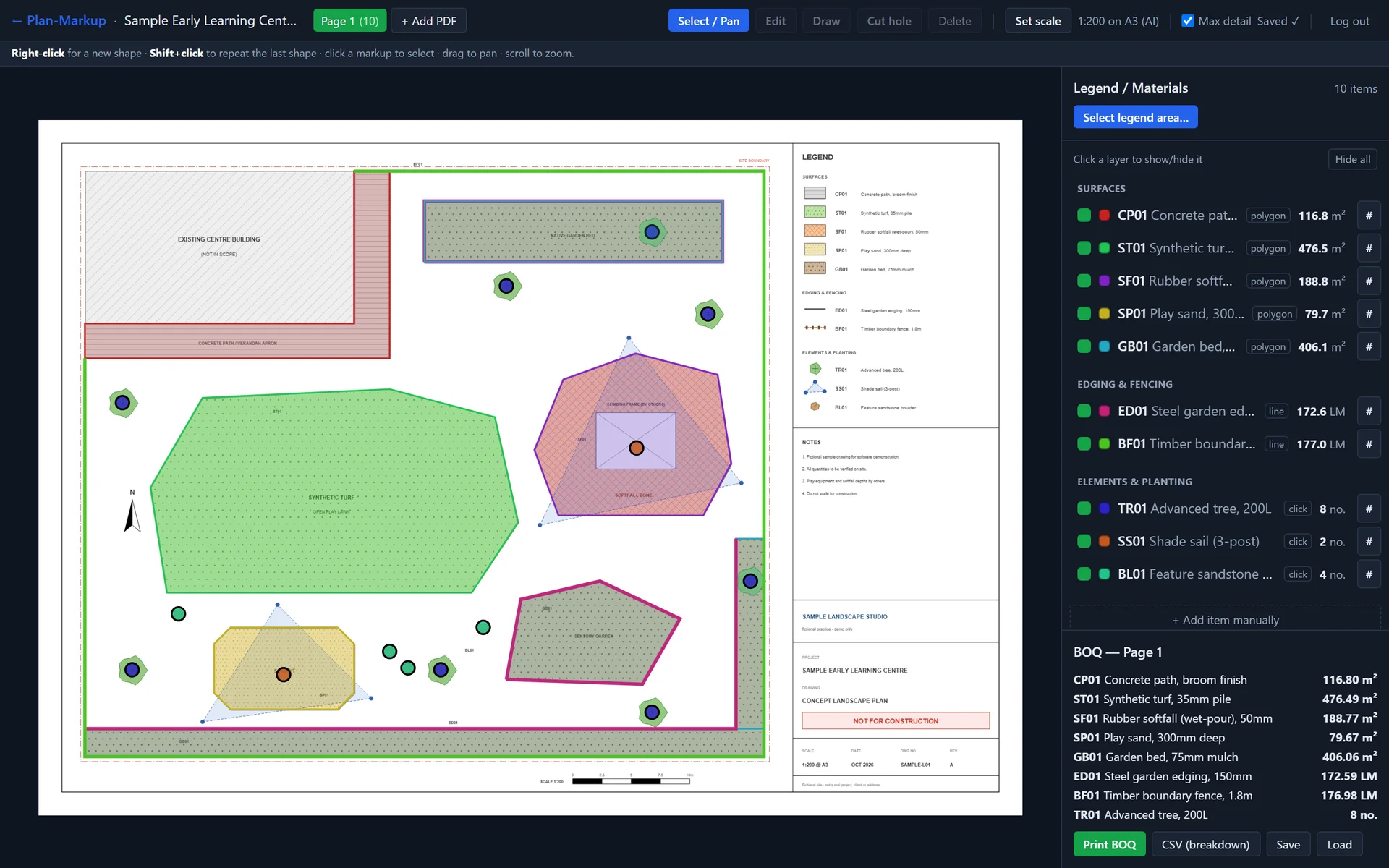
Tracing a garden bed: turf, softfall, paths, edging and trees already measured. Sample data, not a live run.View full size: Tracing a garden bed: turf, softfall, paths, edging and trees already measured. A render queue built for A0 sheets
For very large sheets I built a level-of-detail tile pyramid. Each tile is rendered once, stored privately by the plan's content hash, and streamed in as it finishes, while a queue of Docker render workers renders tiles in parallel.
I wrote the queue spec-first and had it adversarially reviewed before release. The review found 10 real defects; all were fixed, and the re-review came back clean.
More screens
Results
- faster tile rendering with block ordering: 6.08 s down to 0.78 s per tile, with zero failures on a six-worker fleet
- 6.4×
- Source: Render-queue benchmark during the build, June–July 2026
- render-worker image, down from 1.19 GB after slimming it
- 497 MB
- Source: Docker image sizes, June–July 2026
- measured for one cleanly bounded turf region, against 35 m² in the client's bill of quantities (sand: 31.4 m² against 36 m²)
- 34 m²
- Source: Python pipeline on a real childcare plan, 2026
- Built between 28 June and 5 July 2026 (54 commits).
- AI legend reading with area, length and count classification, and three ways to set scale.
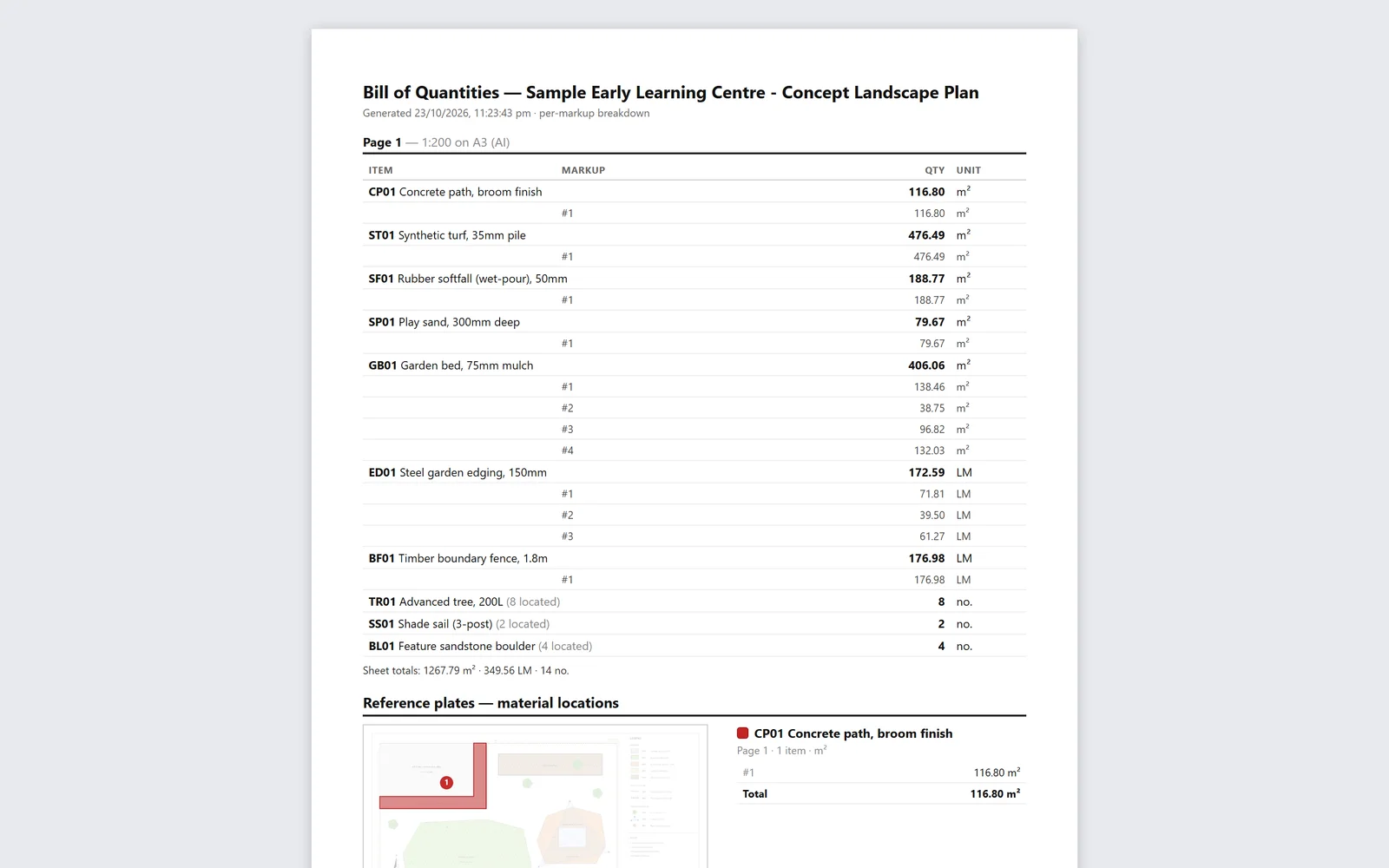
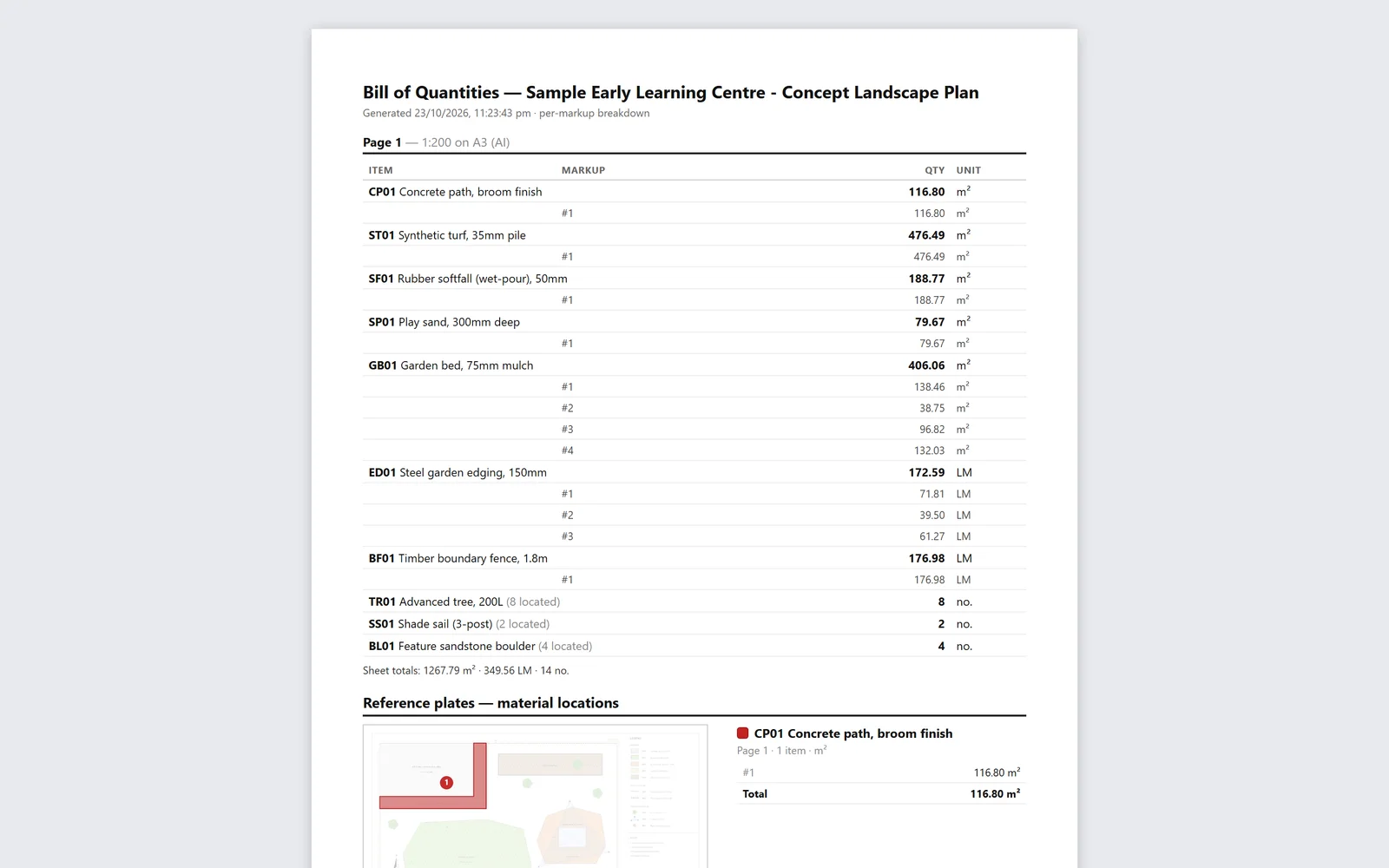
- A bill of quantities by sheet, item and individual markup, with subtotals. Print an A4 report with a numbered reference plate per material, or export a full CSV breakdown.
- A project library with thumbnails and autosave, behind a login gate on the app and every API route that fails closed if its signing secret is missing.
- A self-healing render queue: retries with backoff, heartbeat locks so slow workers aren't cut off, and block-ordered rendering.
These are engineering and accuracy measurements from the build. Time saved per plan isn't claimed here.
I can build something like this for your business.
Contact meQuestions about this project
Can AI measure the areas on my plans automatically?
Not reliably, and I tested it properly before saying so. Plans that draw surfaces as hatching have no clean boundaries in the file, so automatic area measurement breaks into fragments. In my tool the AI reads the legend and the scale, and you trace the areas with fast drawing tools. Every number traces back to a shape you can see.
What kind of plans does it work with?
Any PDF plan, including large A0 and A1 sheets. It handles proper vector CAD exports and flattened renders. The legend can be a table, a schedule or a key with swatches. Box the part you want read, and box more than one part if the legend is split.
How accurate are the quantities?
They're as accurate as the scale and the tracing. Scale comes from the plan's real page dimensions, either read from the title block or set by measuring a known length. Areas subtract any holes you cut. I still recommend a human check against the printed reference plates before a number goes into a quote.
Is my plan sent to an AI model?
Only the parts it needs. When you ask it to read the legend or the scale, cropped images of those areas go to Claude. The full PDF is stored in private storage so the app can render its tiles, and it isn't shared anywhere else.
Can I get the quantities into my estimating spreadsheet?
Yes. There's a CSV export with one row per markup and subtotal rows, and a printable bill of quantities you can save as PDF. You can also save and reopen a whole project.
Could you build a takeoff tool for my trade?
Yes. The legend classification and the drawing tools aren't specific to landscaping: edging, fencing, pipes, tiles and fixtures all fit area, length or count. I'd scope it after a discovery session using one of your real plans.
Want a takeoff tool for your trade?
Edging, fencing, pipes, tiles or fixtures: if it's an area, a length or a count, I can scope a tool around one of your real plans.
Related case studies
All work
- My own product
- Internal tool
AI operations & automation · Gold Coast & Brisbane
Consulate
Consulate: an AI agent town that asks before it acts
Client details redacted
- Human sign-off on every outbound item

- My own product
- In development
Education & e-learning · Online
Learn
AI study plans that start from what you already know
- 8–20 dated steps per plan