Google Ads management · Gold Coast & Brisbane · 2026
- My own product
- Internal tool
A Google Ads portal that grades every campaign A–F and shows its working
My own portal for building, importing, grading and improving clients' Google Ads campaigns. A fixed rubric scores every campaign, and every keyword recommendation comes with its evidence.
This is my own product, not a client engagement.
Screenshots use the portal's demo mode, with two fictional businesses.
- Product
- Metads (my own)
- Industry
- Google Ads management
- Location
- Gold Coast & Brisbane
- My role
- Spec, design and build
- Year
- 2026
- Status
- Internal tool
By Joshua Jager-Hoare · Updated
The brief
Small-business clients often come to me with a Google Ads account someone else set up: one catch-all ad group, broad keywords everywhere, no negative keywords, and money spent with nothing to show for it.
Working out what was wrong, deciding which keywords were worth adding and reporting progress each week was slow, manual work in spreadsheets. I wanted one place that grades an account the same way every time, shows its working, and turns the findings into changes I can actually deploy.
What I built, and why
A fixed rubric, not an opinion
I wrote the spec and data contracts first (the grading rubric, issue codes, schema and module boundaries) and built against them, so scoring would be predictable and testable.
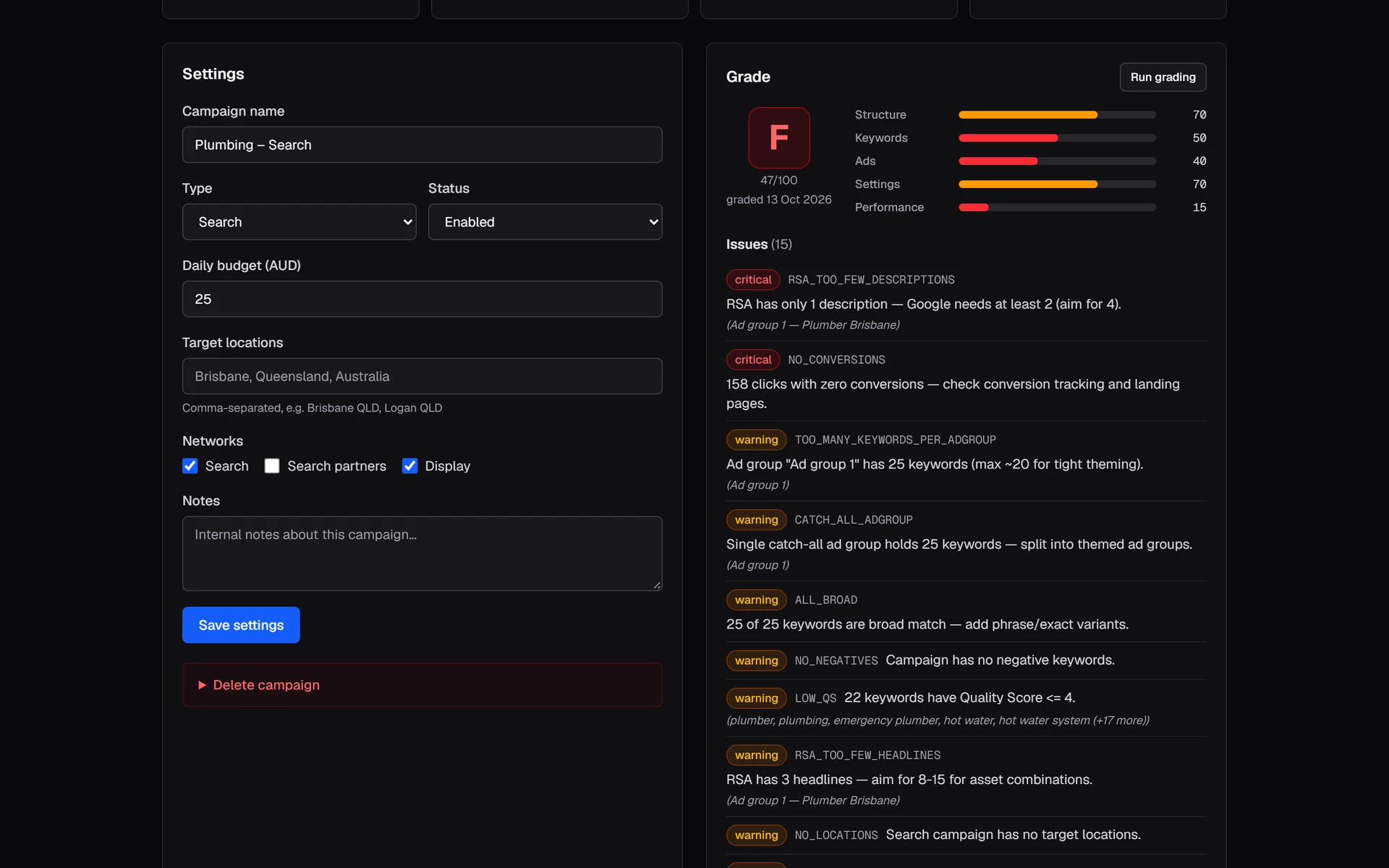
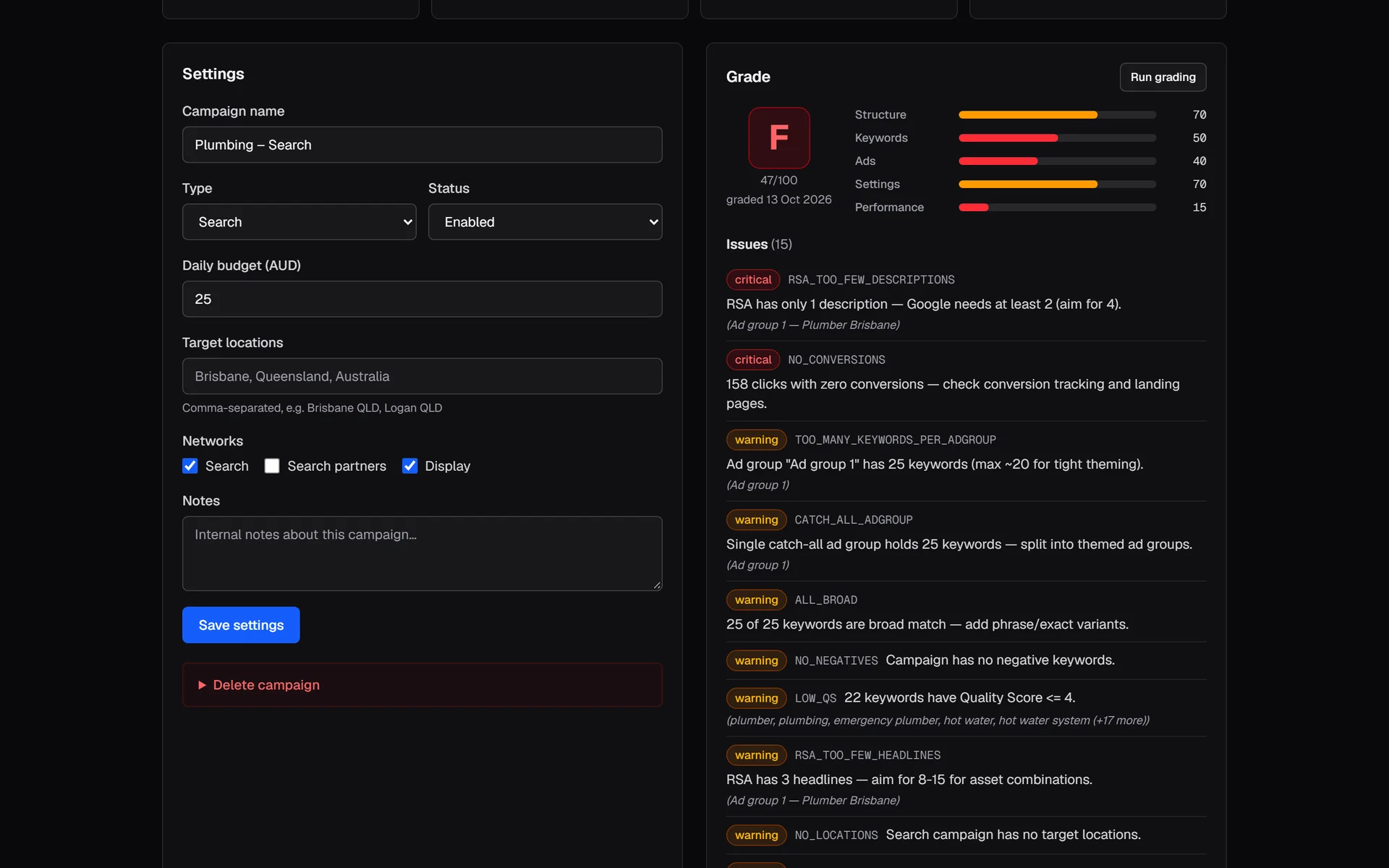
The grading engine is deterministic, with no AI involved. Every campaign gets a 0–100 score and an A–F letter across structure, keywords, ads, settings and performance, with a concrete list of issues marked critical, warning or minor. The same account always gets the same grade.
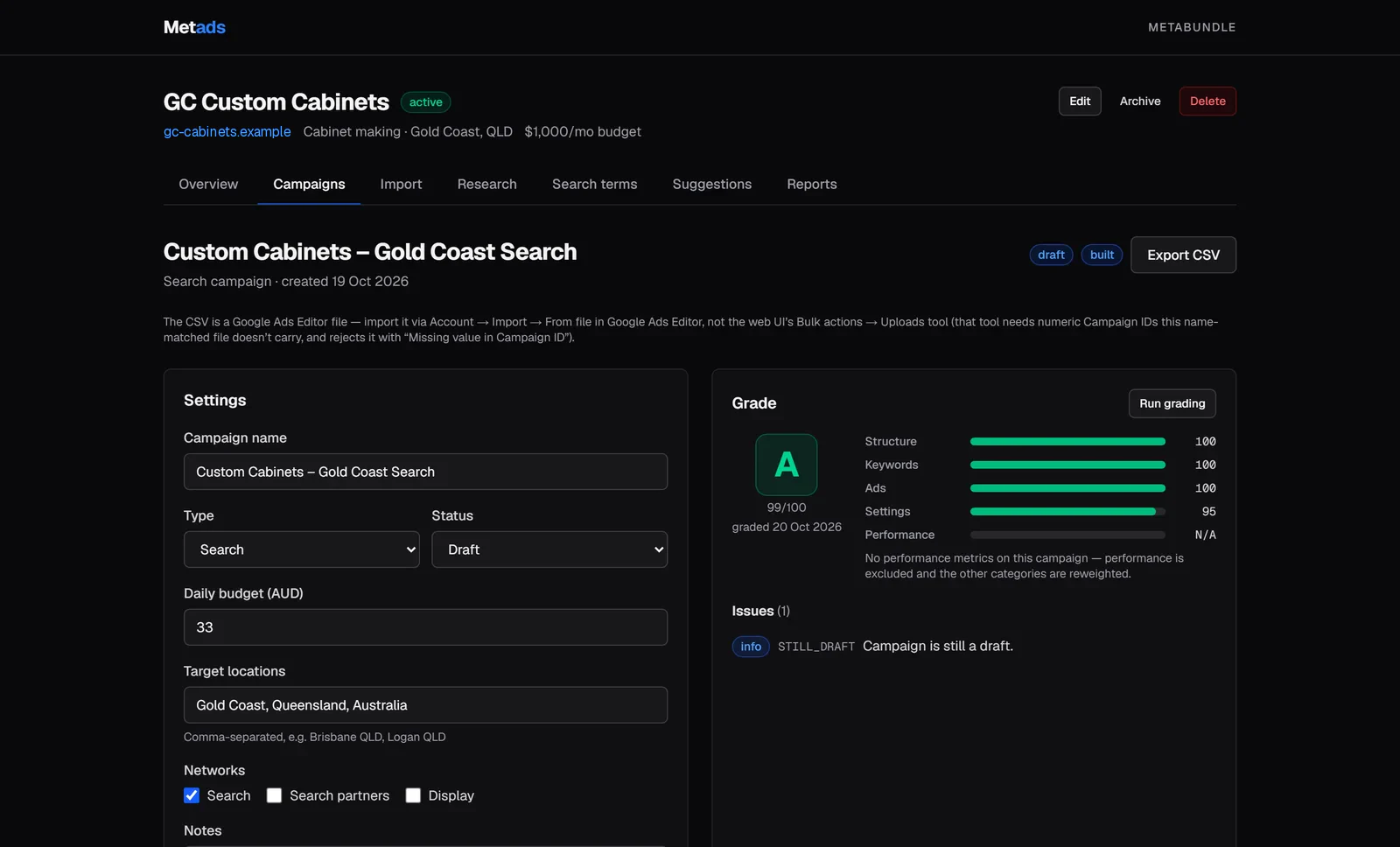
The same rubric grades a well-built campaign an A. Demo data.View full size: The same rubric grades a well-built campaign an A. Import the account someone else built
The importer reads Google Ads Editor exports and Google Ads report CSVs from accounts other people manage. It detects the format, shows a preview, then commits campaigns with their performance metrics intact.
A Google Ads API sync (v25) pulls campaign structure, metrics and the search-terms report, and re-grades automatically. Changes go back out as a Google Ads Editor CSV that I review and import myself.
Keyword research with an evidence trail
Candidate keywords are compared against a baseline using evidence such as Google Trends, planner volumes, the client's own campaign history and search-results checks.
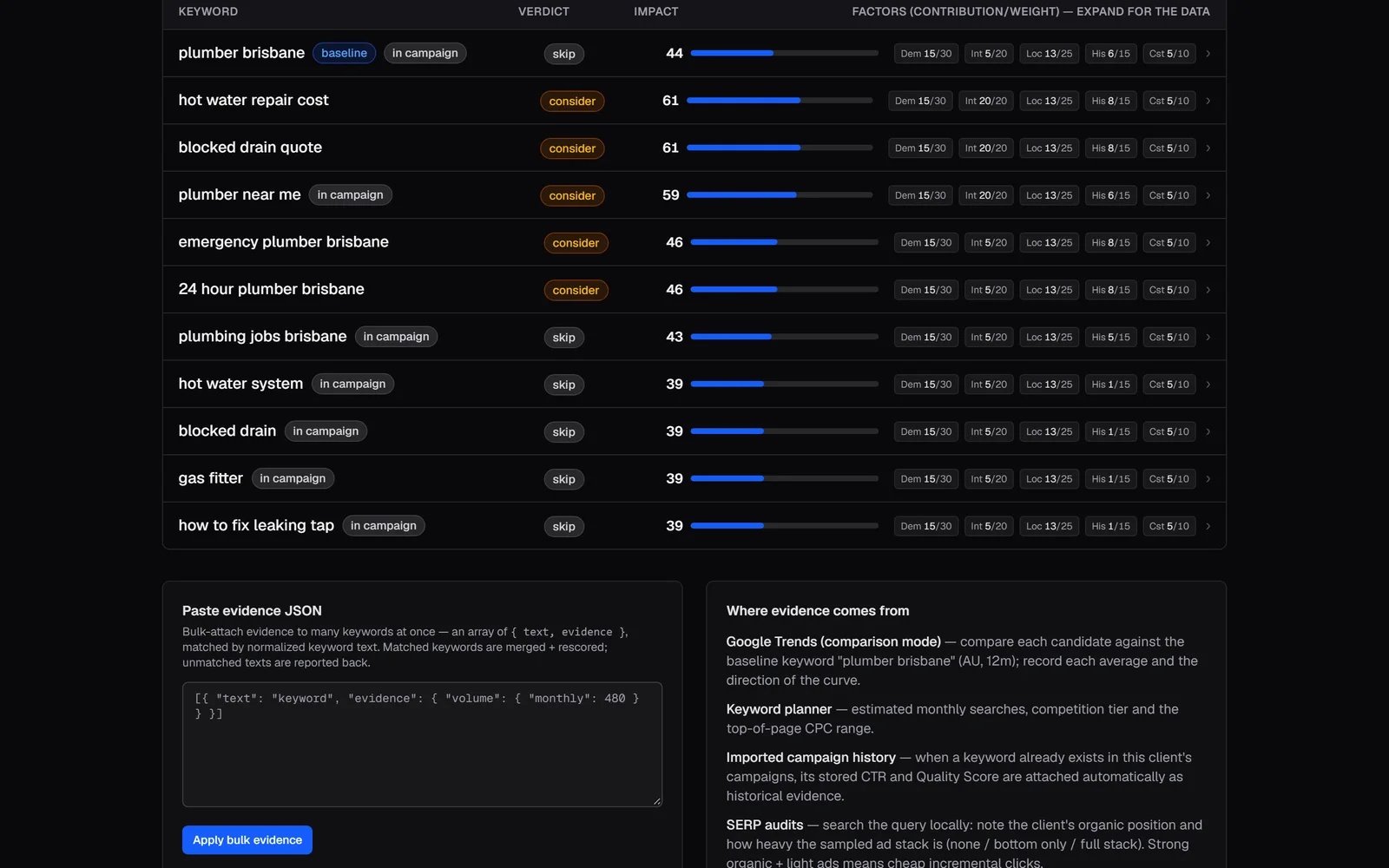
A transparent 0–100 impact score (demand 30, intent 20, local 25, historical 15, cost 10) recommends add, consider or skip, and every factor behind the number is one click away. One more click turns the “add” keywords into a suggestion.
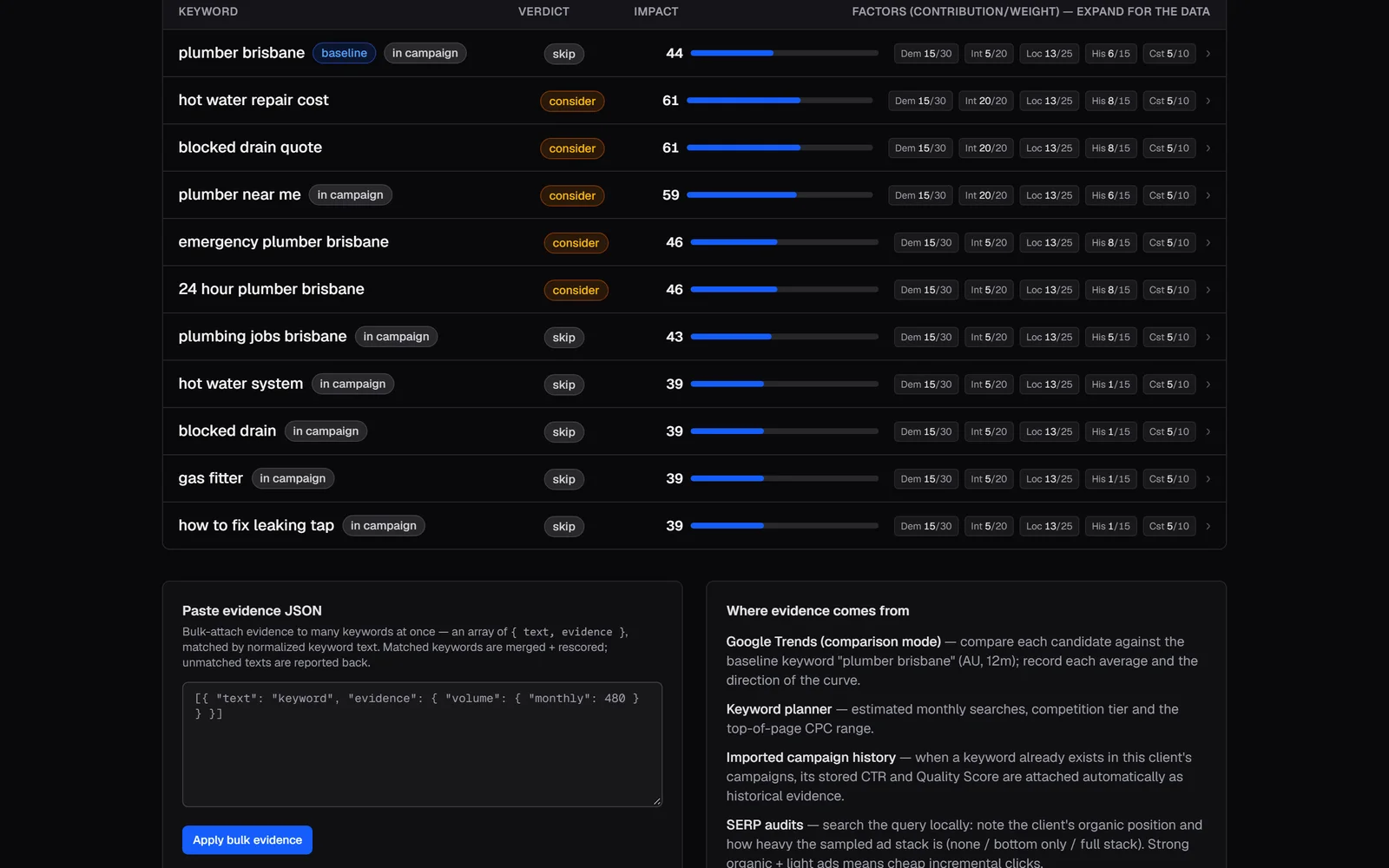
Every recommendation shows its evidence. Demo data.View full size: Every recommendation shows its evidence. AI as a second opinion, never the judge
Suggestions are rule-based by default, generated from the grade. When an API key is set, Claude adds suggestions on top, but it never sets the grade.
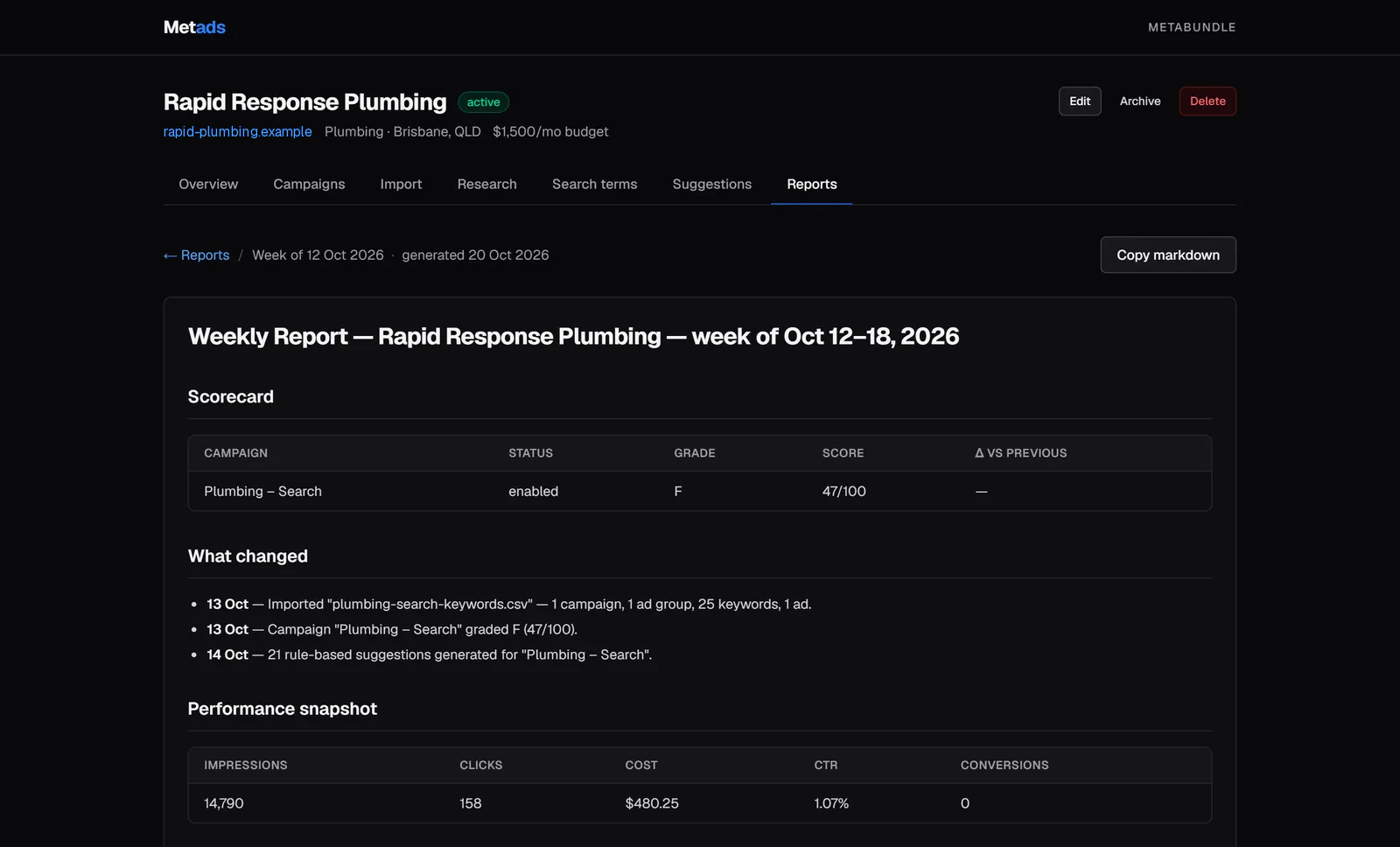
Each client gets a one-click weekly report with grade changes, what changed and next steps, so progress reporting stops being a spreadsheet job.
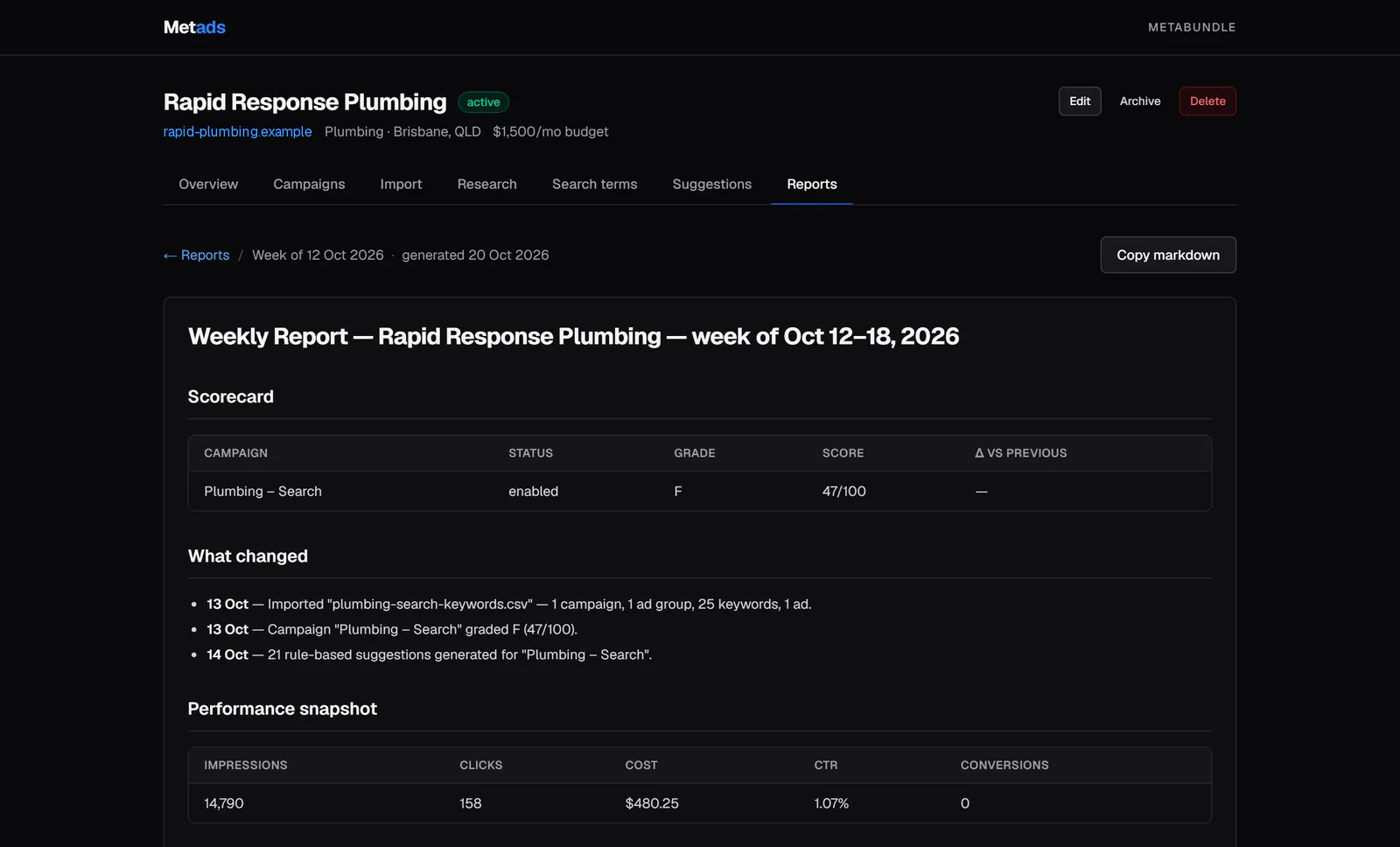
A weekly report with grade changes and next steps. Demo data.View full size: A weekly report with grade changes and next steps. Data on my machine, a thin frontend on the web
The backend runs in Docker on my own machine, reachable only through a locked-down Cloudflare tunnel that exposes the API and nothing else. The Vercel frontend holds nothing but the API address and key; logins are checked by the backend, which issues short-lived session tokens.
I ran six rounds of adversarial bug-fixing before calling it done, and removed three whole classes of bugs rather than single instances: missing metrics shown as a real zero, demo and live modes answering differently, and silent failures when the backend was unreachable.
What shipped
- Built over 28–29 August 2026: 21 backend commits and 11 frontend commits, with 42 test files in the backend.
- The backend (v2.1.5) runs in Docker behind a tunnel that only exposes the API; the frontend runs on Vercel behind a password login.
- The Google Ads sync, verified against the live API (v25) with a working OAuth chain.
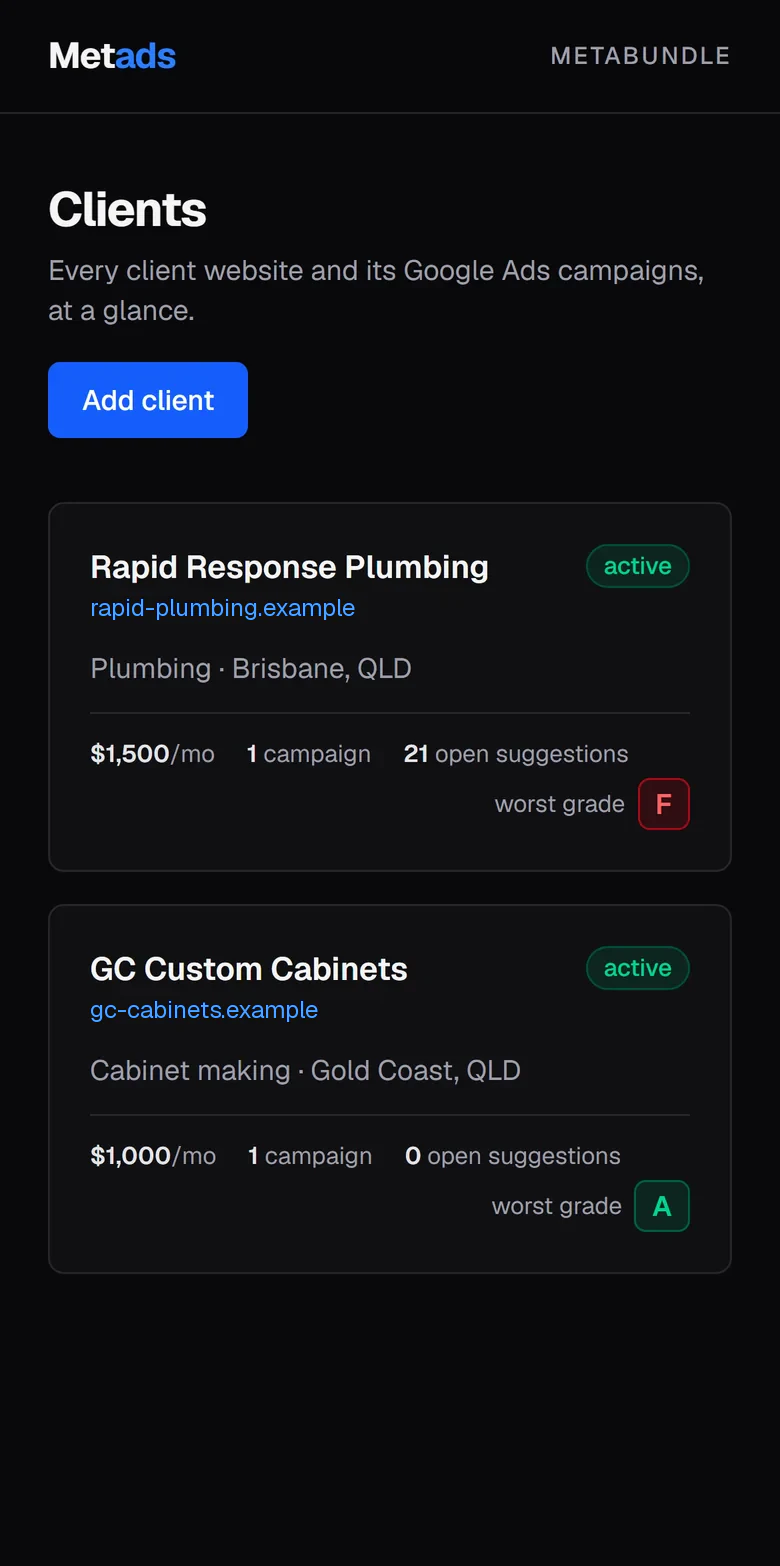
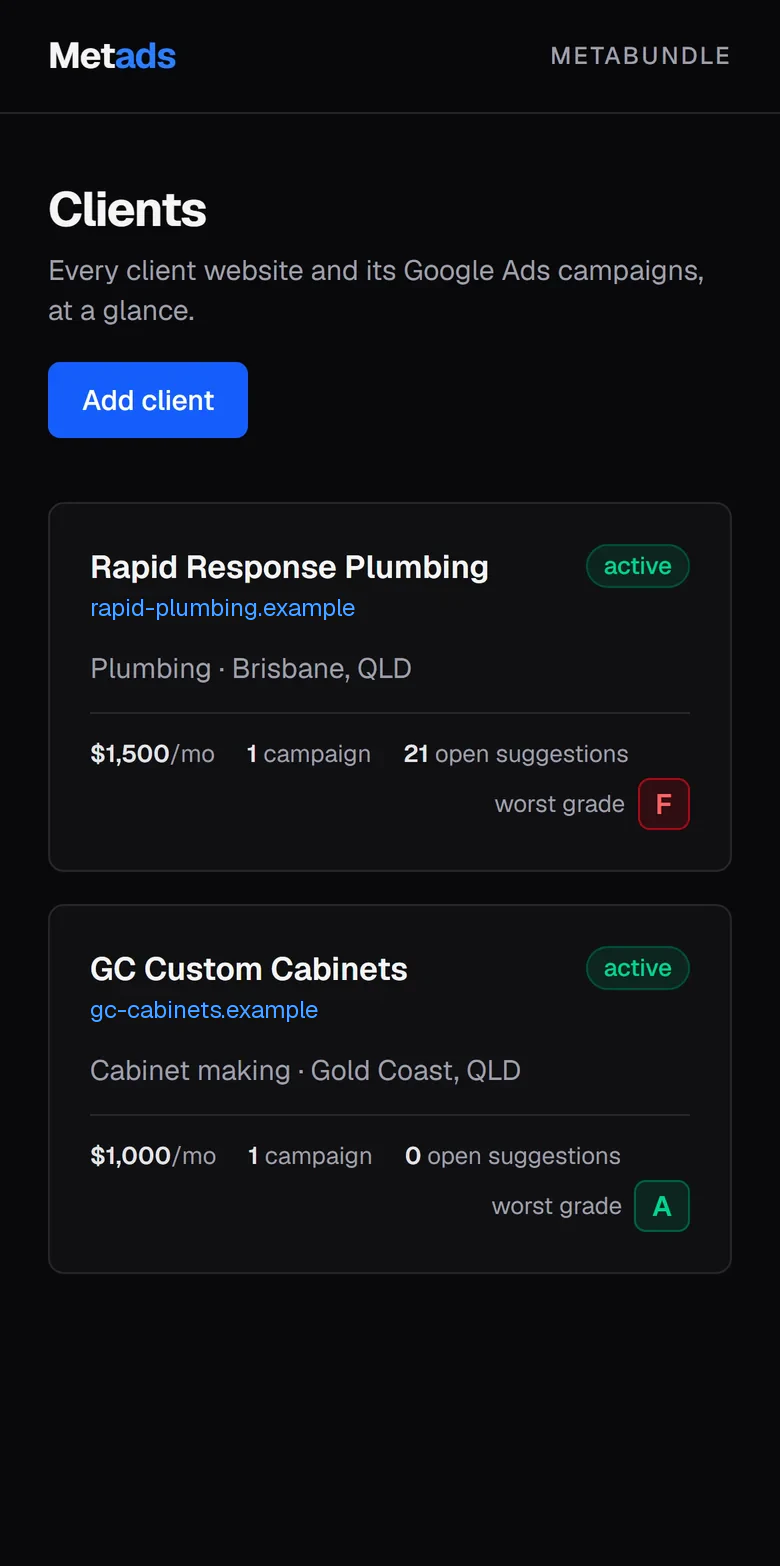
- A client list and per-client overviews, a campaign builder (ad groups, match types, negatives, responsive search ads), CSV import, A–F grading with stored history, keyword research, suggestions, Editor CSV export and one-click weekly reports.
- A demo mode with two fictional clients, so every screen works with no setup, and a loud banner instead of a crash if the backend is unreachable.
I can build something like this for your business.
Contact meQuestions about this project
Can you audit a Google Ads account someone else set up?
Yes, and it's where I usually start. I import the account's Editor export or report CSVs and grade every campaign. You get a plain list of what's hurting it, such as catch-all ad groups, missing negative keywords, thin ads or wasted spend, each marked critical, warning or minor.
How is the grade worked out?
By a fixed rubric, not by AI and not by opinion. Each campaign is scored on structure, keywords, ads, settings and performance, and each issue deducts a set amount depending on how serious it is. Because it's deterministic, you can see exactly why a campaign is a C and what will move it to a B.
Will you change my live campaigns automatically?
No. Changes are exported as a Google Ads Editor file that I review and import myself. Pushing changes straight through the Google Ads API is on the roadmap, and when it arrives it will show a preview of the changes and wait for a confirmation before writing anything.
How do you decide which keywords to add?
Each candidate is compared against a baseline keyword, using real evidence: search trends, planner volumes, your own campaign history and a look at the live search results. The impact score shows every factor and its raw data, so a recommendation is never just “trust me”.
Who can see my ad account data?
Only me. The data lives in a database on my own machine. The public side is a password-protected portal that reaches it through a tunnel exposing the API only, and the Vercel frontend holds no database credentials, Google Ads tokens or AI keys.
Where does AI fit in an ads audit?
As an optional second opinion. The grading and the rule-based suggestions work with no AI at all. When it's switched on, Claude adds suggestions on top, but it never sets the grade.
Want your Google Ads account graded?
Send me the account someone else set up. I'll grade every campaign, show you what's costing money, and recommend changes with the evidence attached.
Related case studies
All work
- My own product
- In development
Landscape & construction estimating
Plan-Markup
An AI takeoff tool that reads a plan's legend and scale, so estimators only have to trace
- 6.4× faster tile renders
- Area, length and count

- My own product
- Internal tool
AI operations & automation · Gold Coast & Brisbane
Consulate
Consulate: an AI agent town that asks before it acts
Client details redacted
- Human sign-off on every outbound item