Remedial building & waterproofing · Australia · 2026
- Confidential: demo data
- Internal tool
One daily action queue for a remedial builder's leads, quotes, crews and vans, with AI doing the drafting
The in-house operations platform I built for a remedial building company: one ranked daily queue across leads, site visits, quotes, jobs, crews, vans, invoices and compliance, where AI drafts and a person approves.
Client name withheld. Identifying details are changed; the work is real.
Screenshots show the real software running on fictional demo data. Every name, address, job and figure is invented; no client or customer data appears.
- Client
- Name withheld
- Industry
- Remedial building & waterproofing
- Location
- Australia
- My role
- Product design and engineering
- Year
- 2026
- Status
- Internal tool
By Joshua Jager-Hoare · Updated
The brief
The company's admin was spread across a shared inbox, an off-the-shelf trades CRM, accounting software, spreadsheets and phone calls, and work fell through the gaps between them. When I looked into why new enquiries had stopped reaching site-visit scheduling, it turned out the import step only ran when someone remembered to press a button.
Quoting work died quietly in three places: visits nobody closed out, visits nobody quoted from, and finished quotes nobody sent. The GPS tracker vendor's daily reports cut off mid-morning while the vans kept driving into the afternoon.
The company already had an earlier in-house system. In June 2026 I rebuilt it from scratch around one idea: the software should do the admin for the office and ask for decisions, not the other way round.
What I built, and why
One queue for every decision
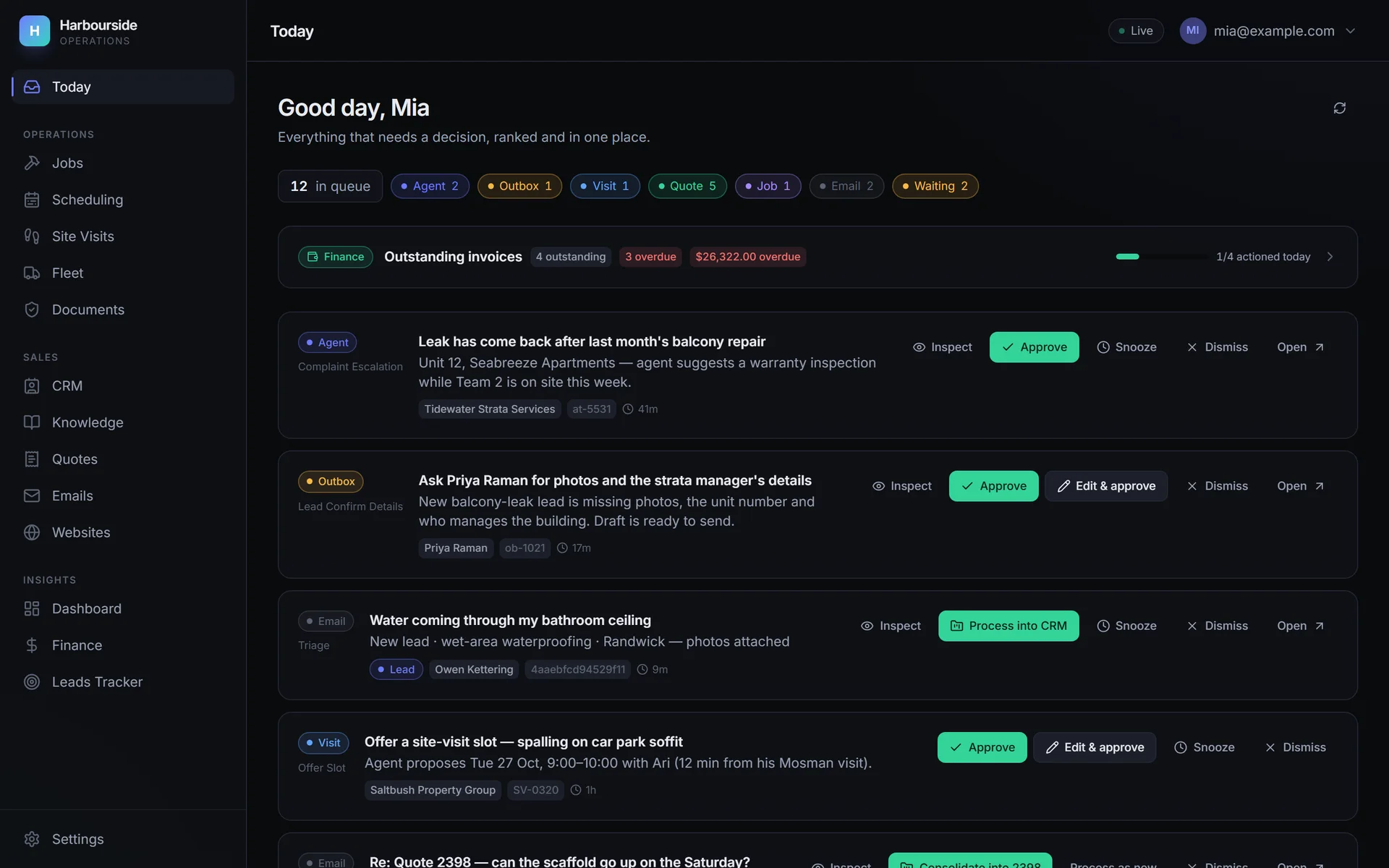
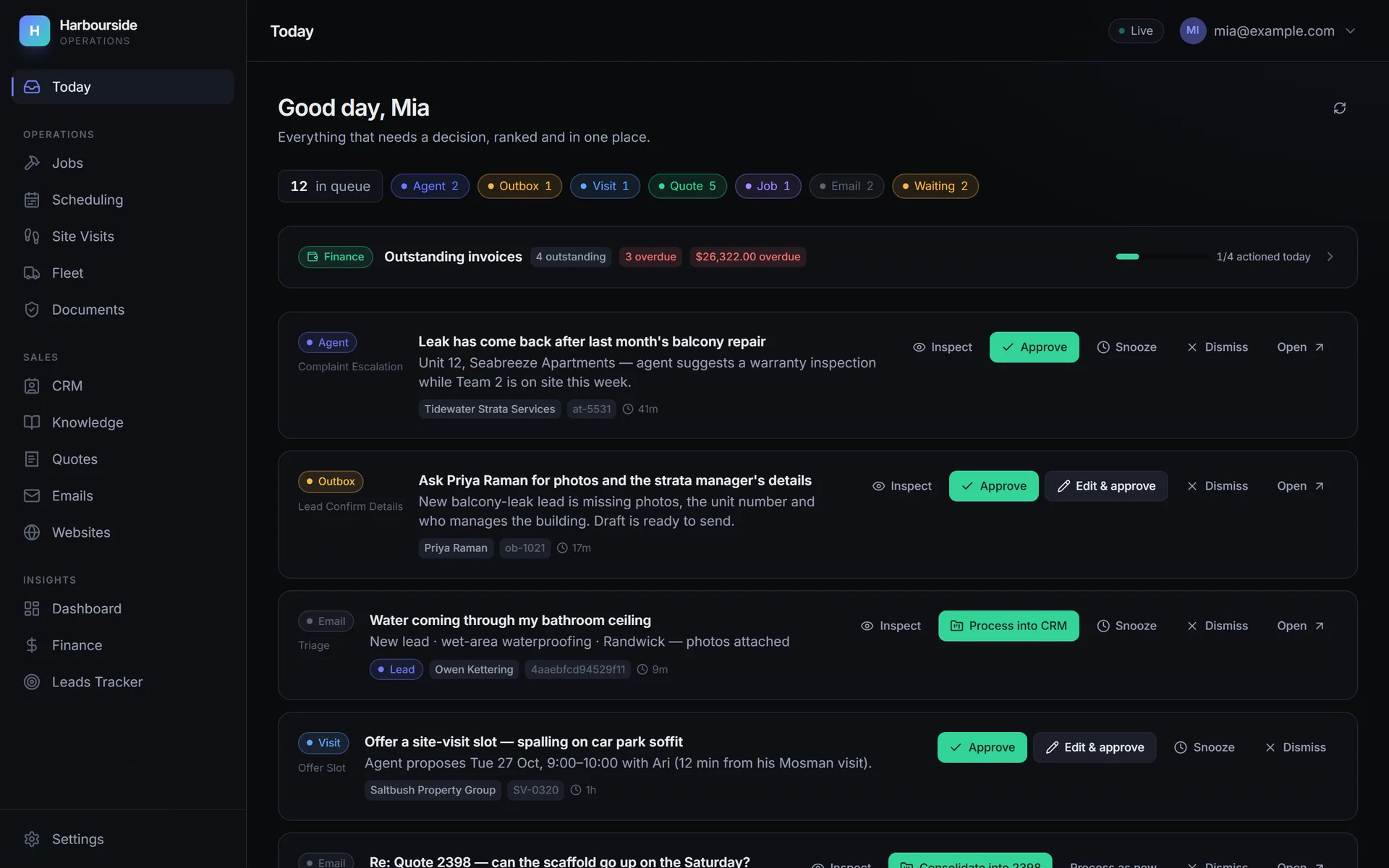
The home screen is Today: a single server-ranked queue across six feeds (agent tasks, drafted messages, site visits that need a person, quotes and jobs missing data, and emails). Each card can be approved, approved with edits, dismissed or snoozed, and every decision is logged.
Behind it, a heartbeat scheduler runs the background loops: inbox polling, the scheduling agent, document ingestion, fleet polling, quote reviews and more. Each loop has its own toggle under a master kill switch, they all ship switched off, and a run lock stops two copies running at once.
The trades CRM the sales team still used became a pluggable connector instead of the source of truth, and invoicing syncs with Xero. The platform owns the data, so the company can drop that CRM later.
A knowledge base that grounds every AI feature
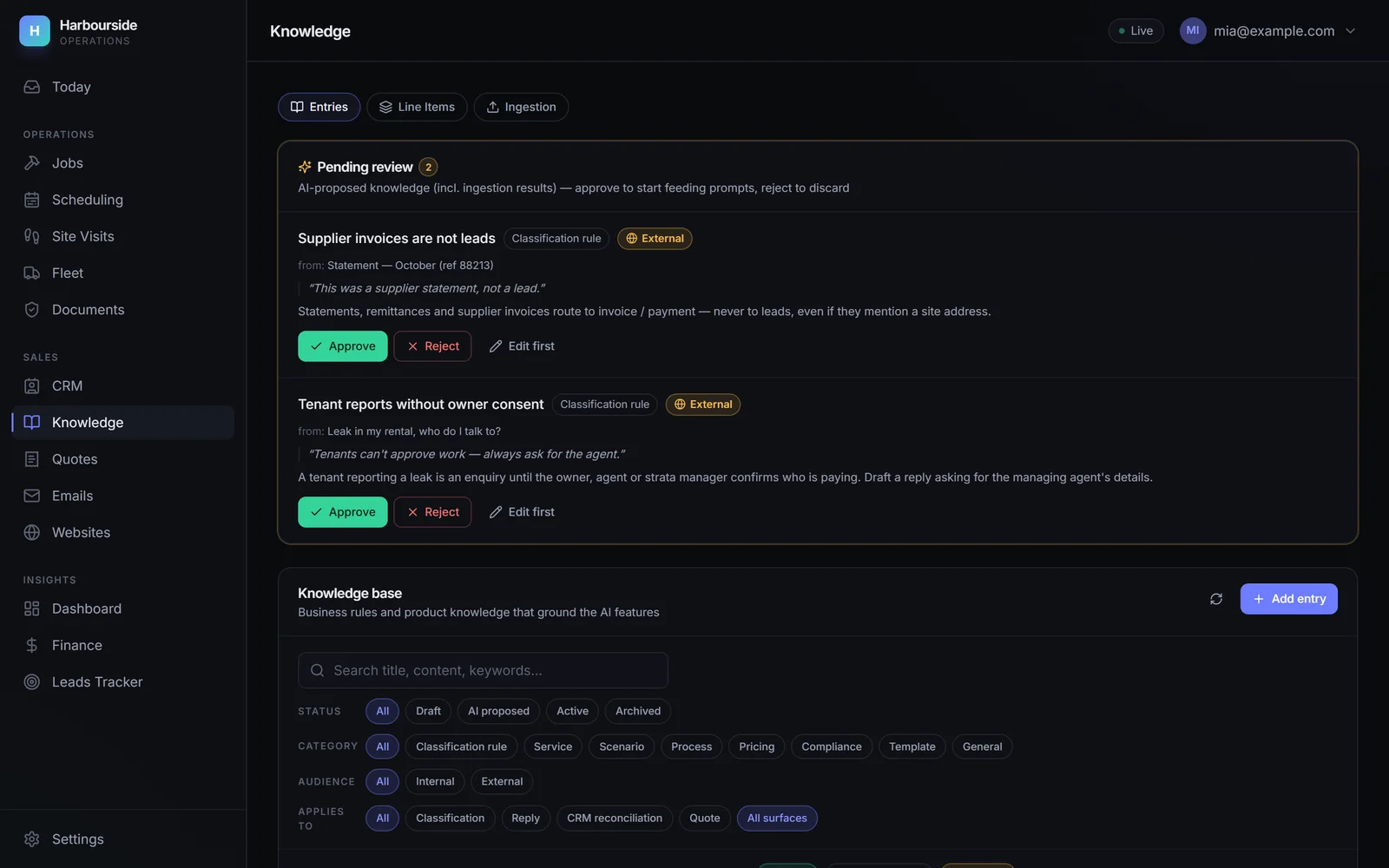
After a structured review of the options, I chose full-knowledge-base injection with prompt caching over search-based retrieval. The whole knowledge base goes into every call, so there's no search step that could miss a relevant rule, and with caching it costs about the same as retrieval.
The knowledge base learns from the office. Correcting an email's category drafts a new rule for one-tap approval, near-duplicate rules can be merged, and uploading a document proposes new rules and priced line items. Nothing goes live without a person approving it.
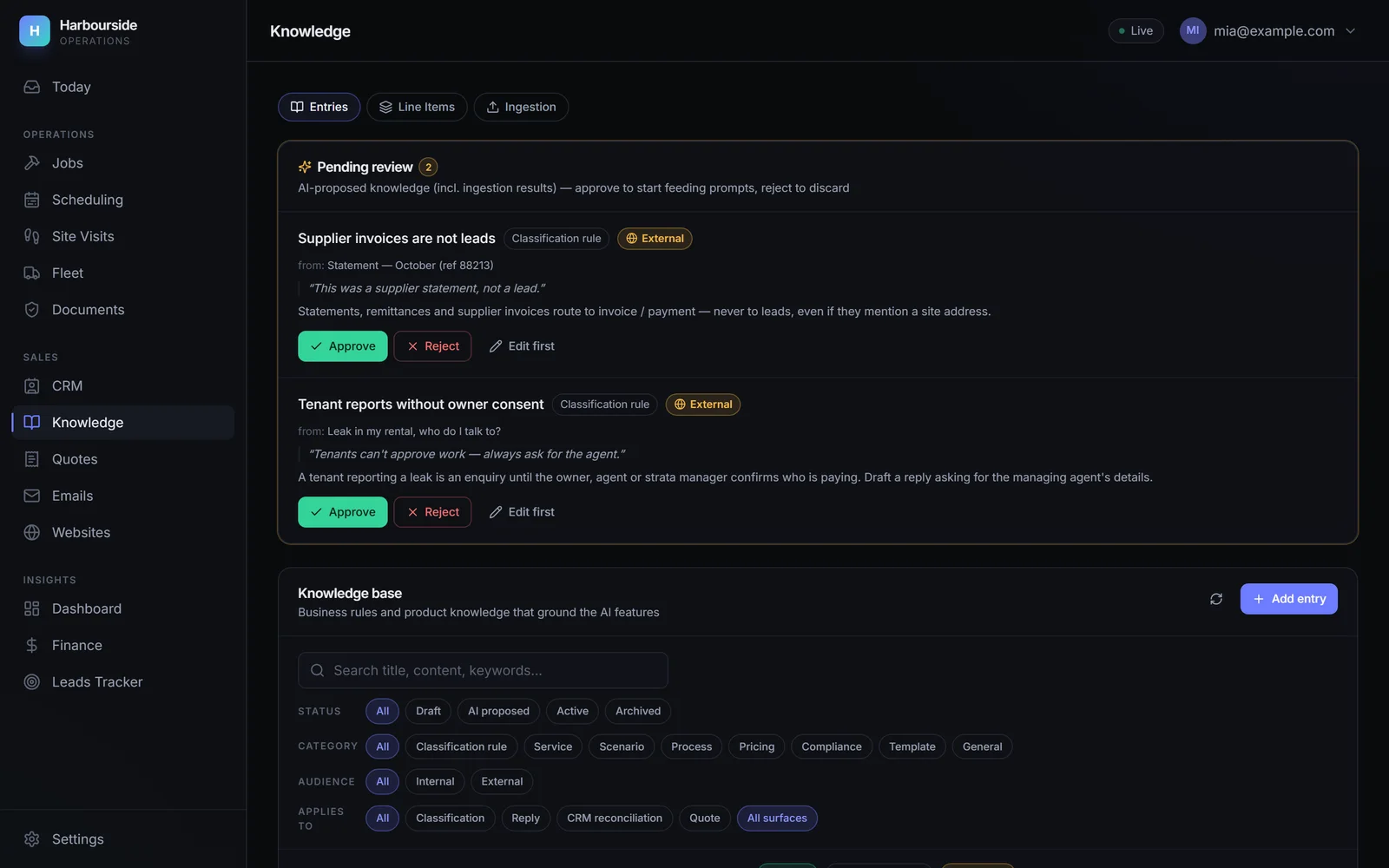
AI-proposed rules wait for a person, with the email that prompted each one. Fictional demo data: every name, address and figure is invented.View full size: AI-proposed rules wait for a person, with the email that prompted each one. Email triage where nothing sits idle
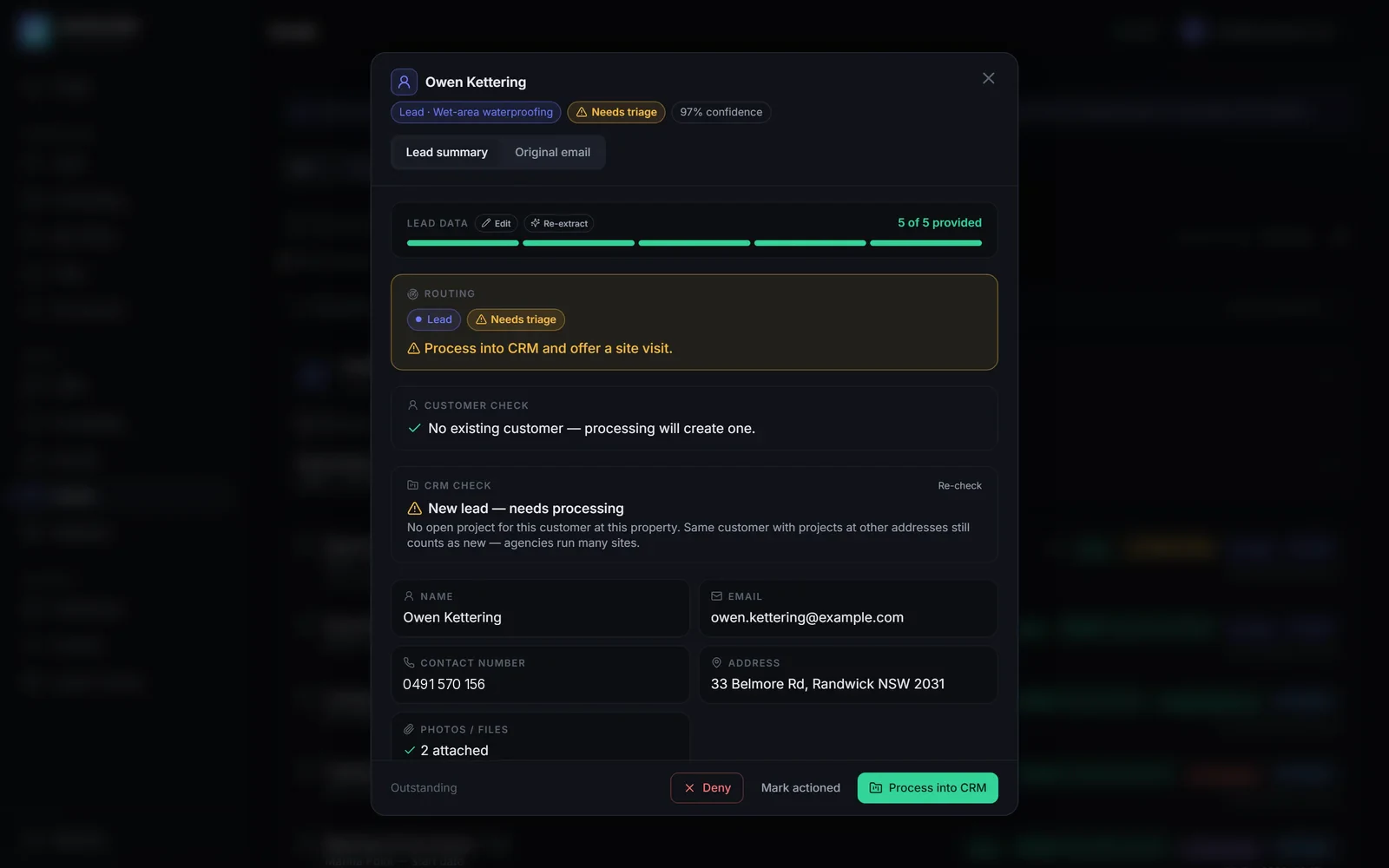
The inbox is read through Gmail. Claude sorts each email by type (lead, complaint, warranty defect, reschedule, invoice or payment, supplier, a request for the company's compliance documents and so on), and every email becomes a task or lands in a triage list. The spam filter refuses to bin anyone who matches a known customer.
New leads join a pool. A planner packs the quoting technicians' day runs (oldest lead first, furthest jobs first, split by zone, within each technician's travel radius and work days), and an agent offers the slots to customers.
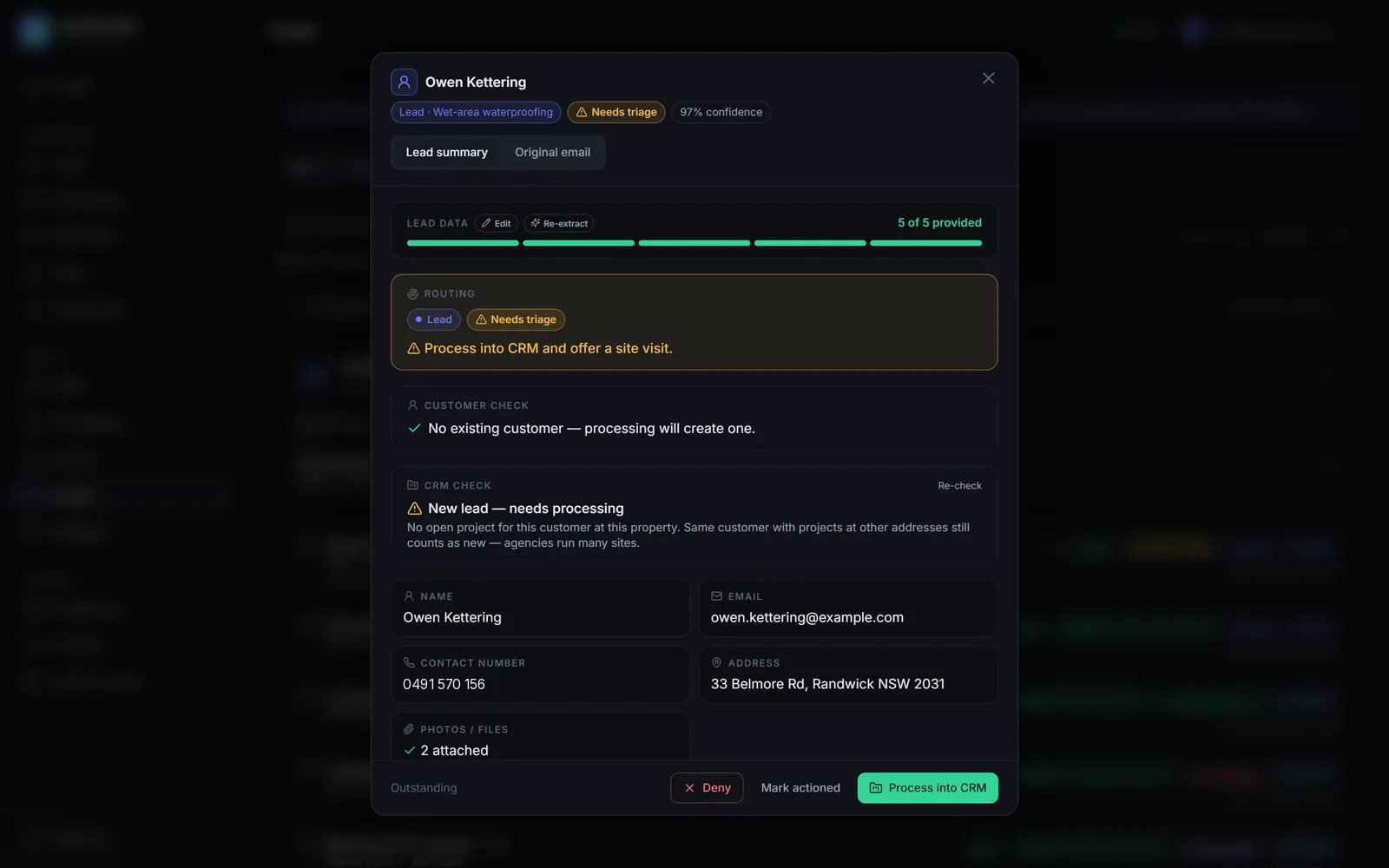
An AI-classified lead, with extracted details and a CRM check. Fictional demo data: every name, address and figure is invented.View full size: An AI-classified lead, with extracted details and a CRM check. Quotes drafted from the site visit
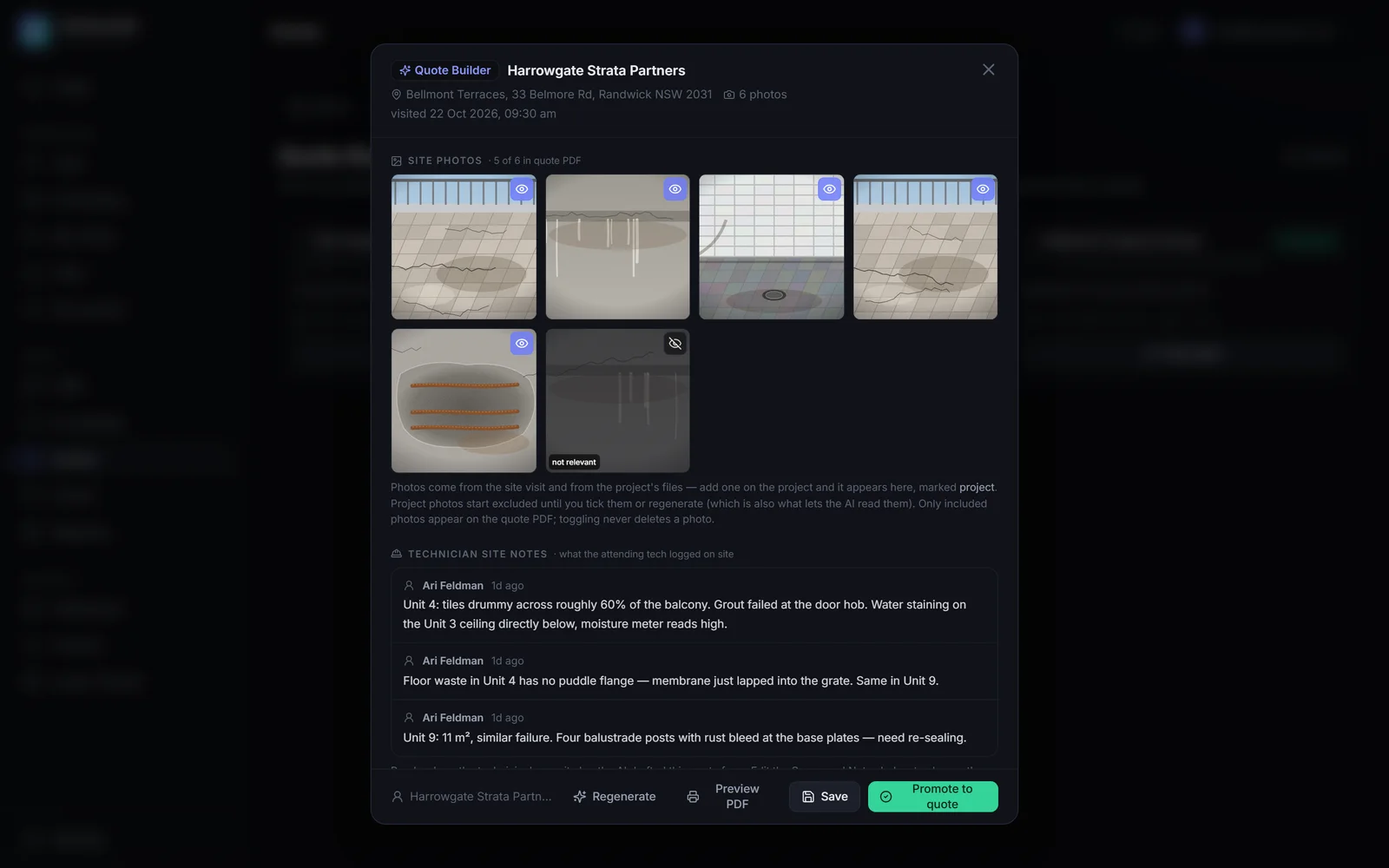
Quote Builder drafts a quote from a completed site visit's photos and technician notes, using the approved price catalogue. The server re-checks every line and rebuilds its name and price from the catalogue, so the AI can't invent a price.
The office edits the draft, handles variations and sends a branded PDF. An AI review scores every quote, and when the office corrects a flag, that correction becomes guidance for future reviews.
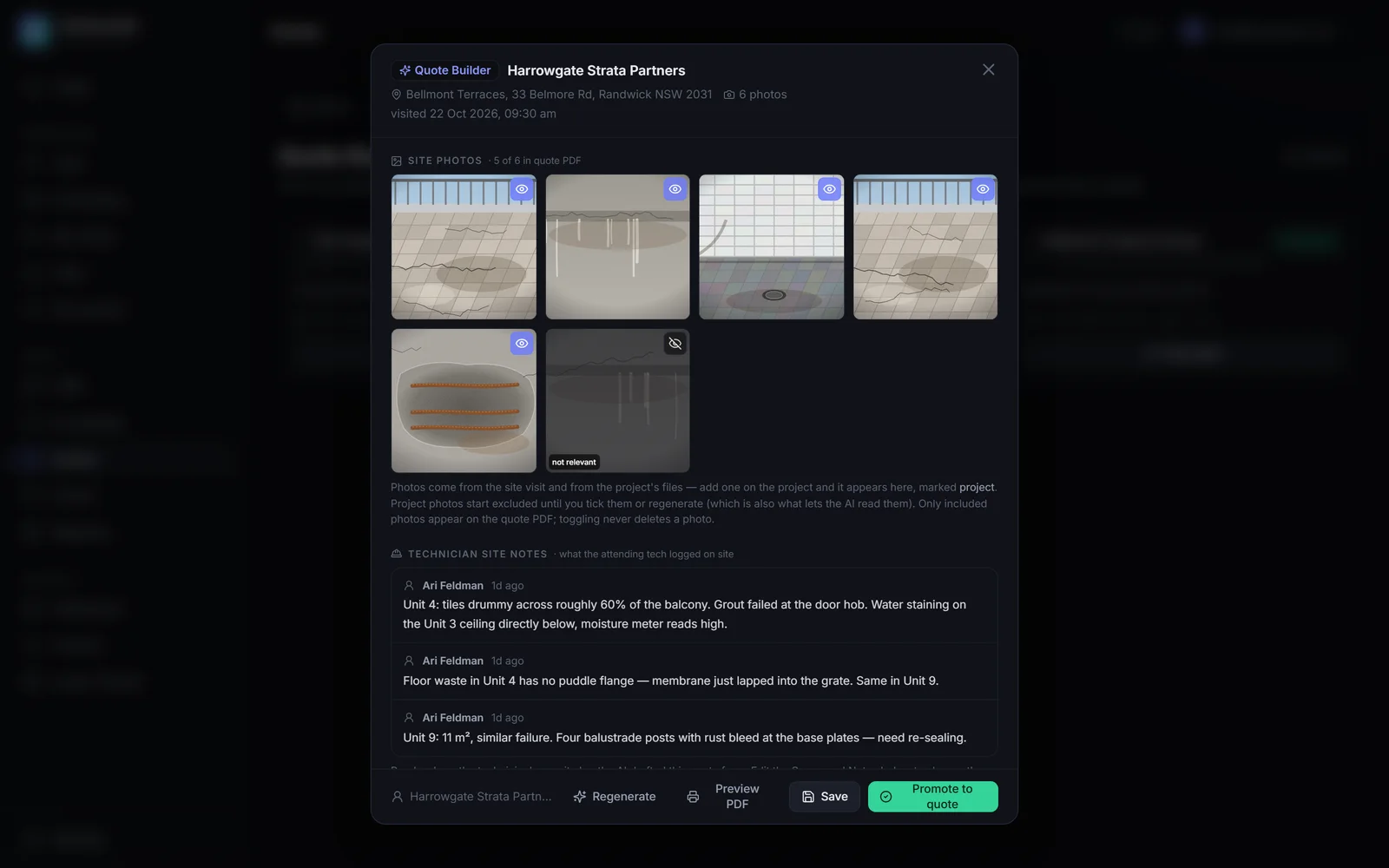
A quote drafted from the technician's photos and notes, ready to edit. Fictional demo data: every name, address and figure is invented.View full size: A quote drafted from the technician's photos and notes, ready to edit. Built for the field, hosted in-house
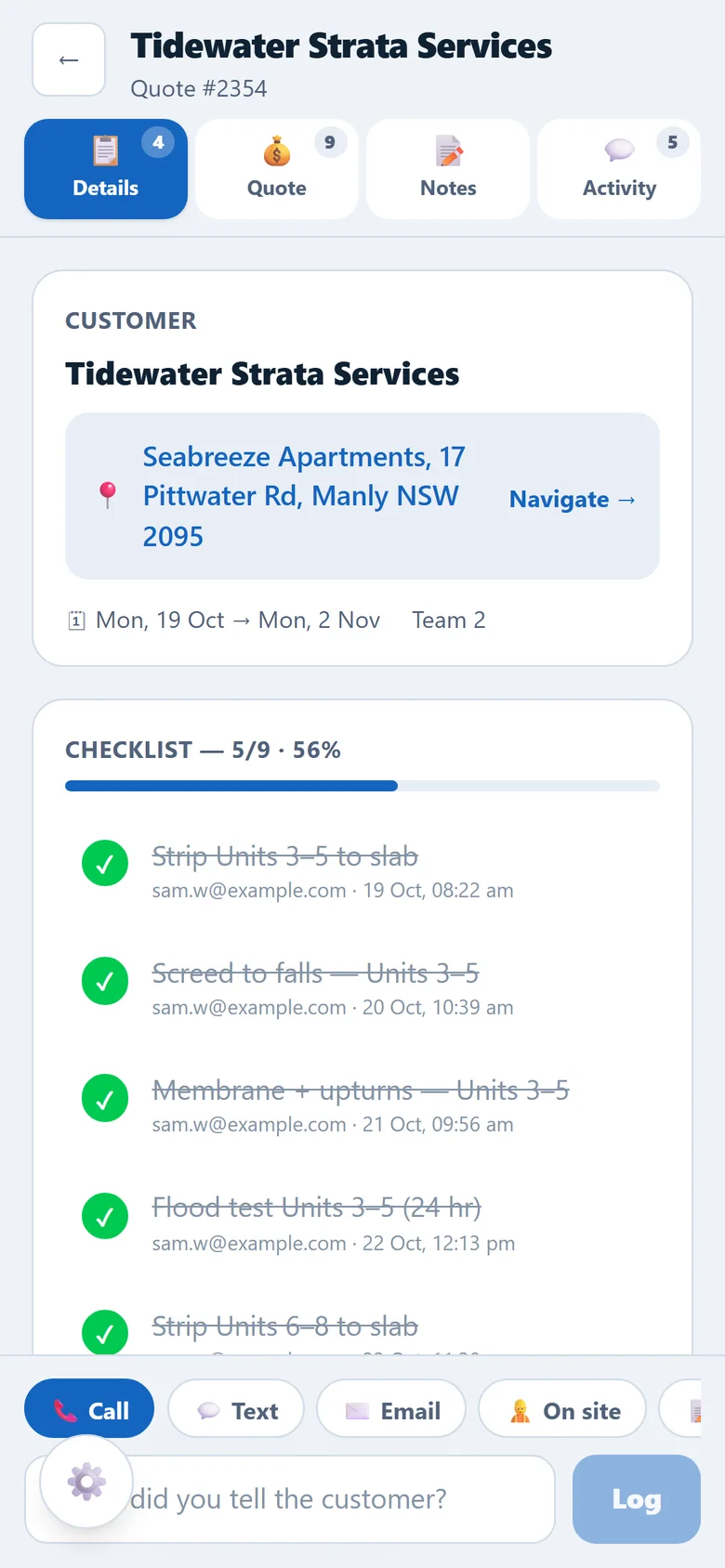
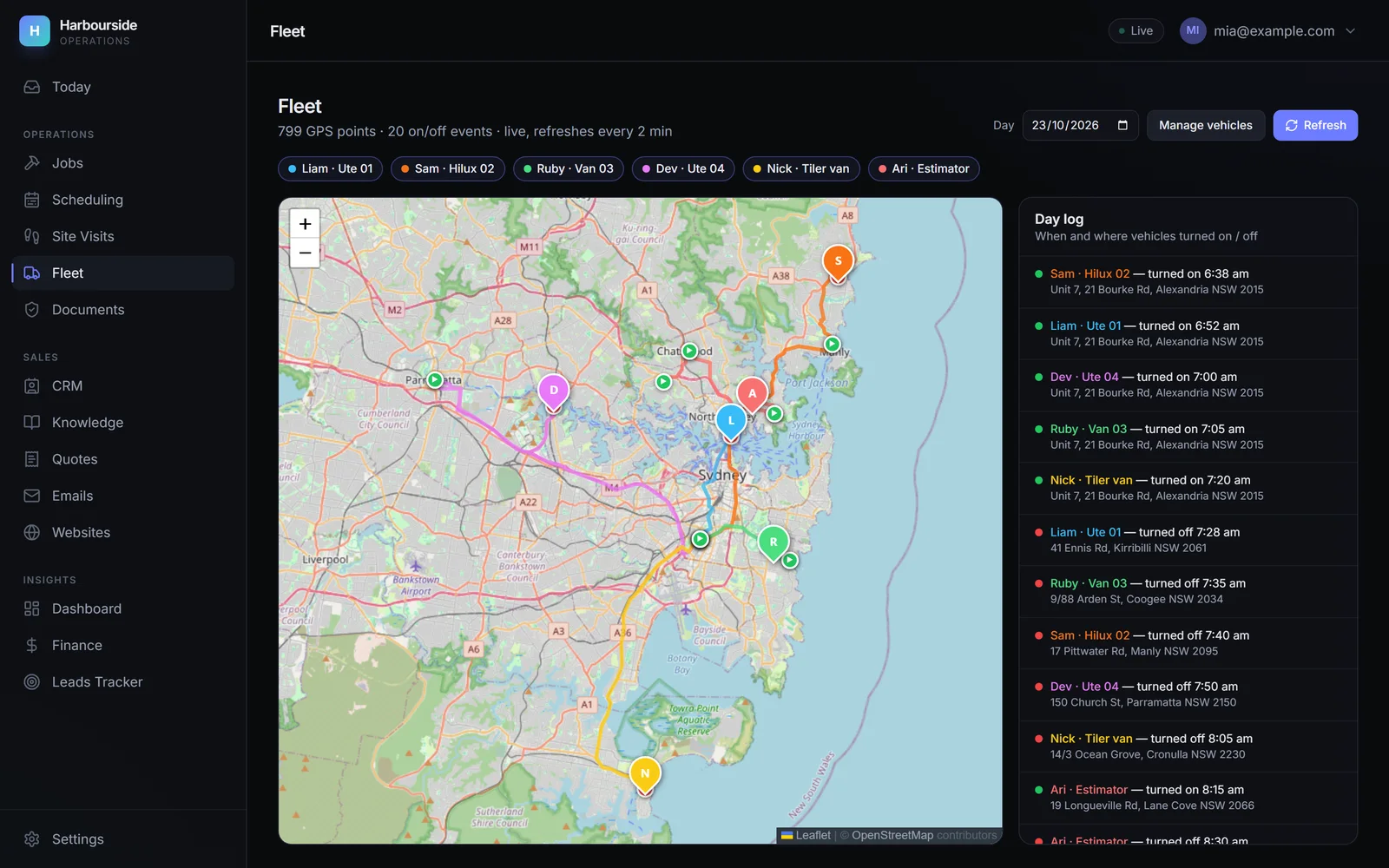
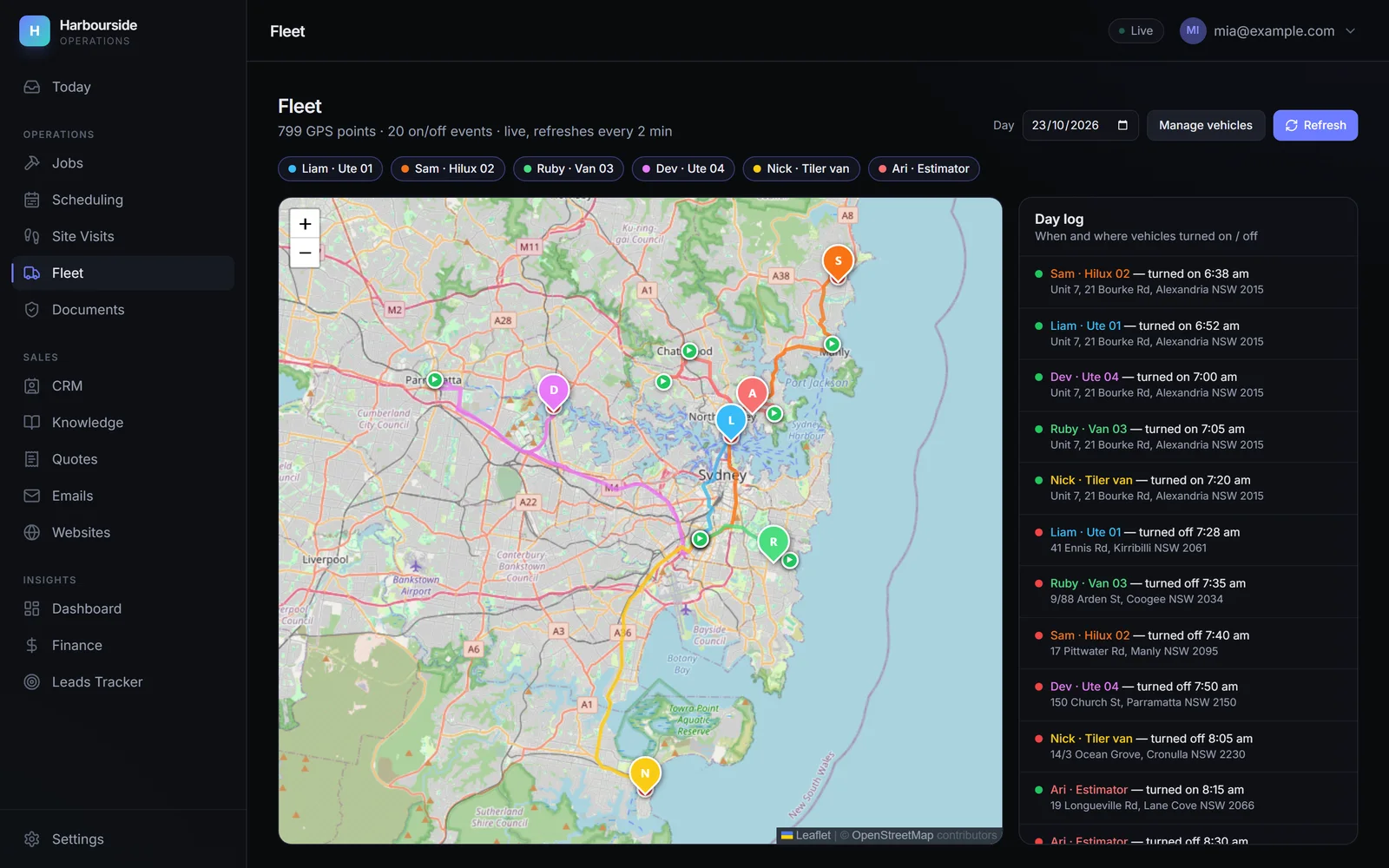
Field crews have their own mobile app: a daily board with primary, next and backup jobs, scope checklists with sign-off, photo and video upload, one-tap contact logging, and a visits run sheet with drive times. The Fleet tab pulls positions from the GPS trackers already in the vans, and shows each van's trail for any day.
The API and Postgres run in Docker on the company's own server, reachable only through a Cloudflare tunnel, and a Cloudflare load balancer fails over to a backup copy on Vercel if the server goes down. AI-written posts default to suburb-only with no customer name, and are never published automatically.
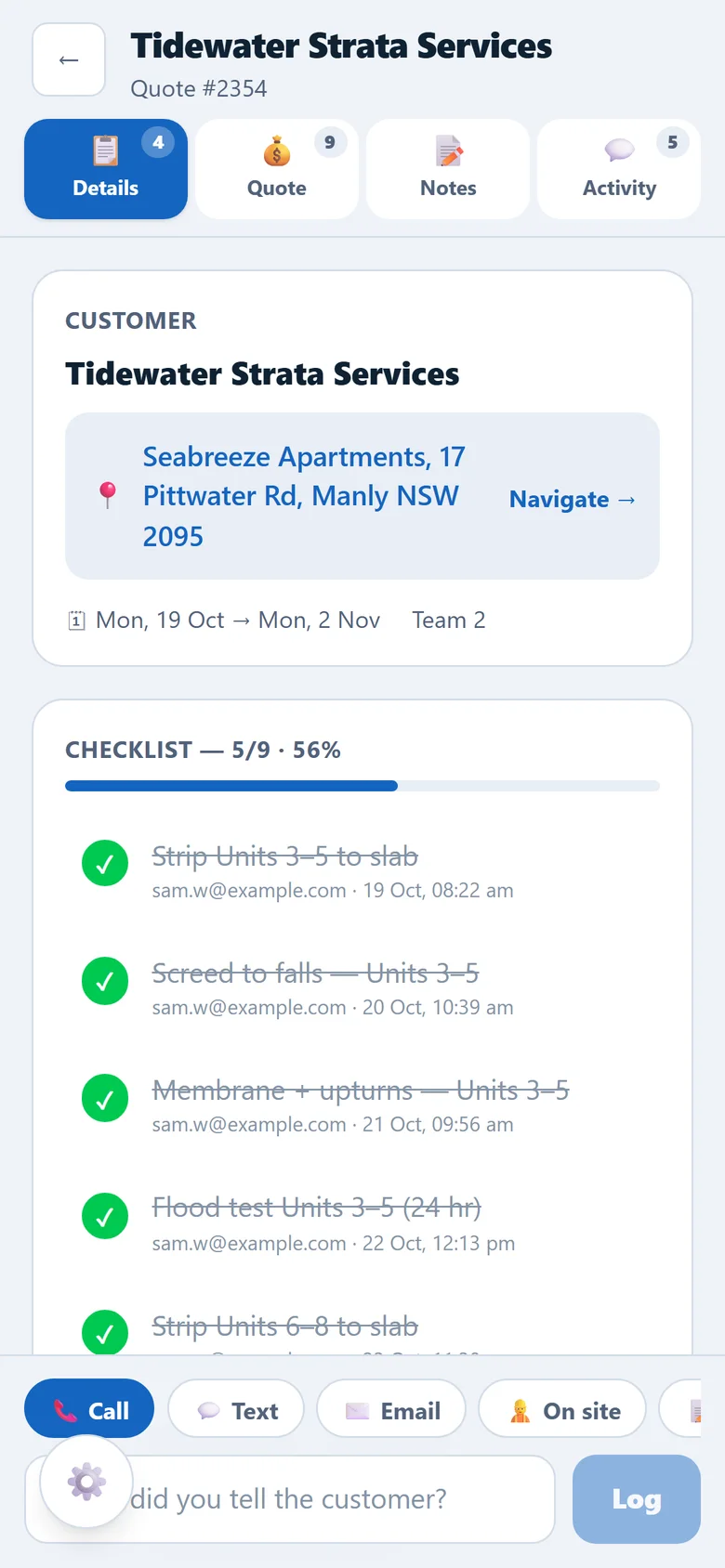
Crews work from the job card on their phones. Fictional demo data: every name, address and figure is invented.View full size: Crews work from the job card on their phones.
More screens
Results
- items surfaced on the Today queue's first run, 90 of them a backlog of quotes and jobs missing data that nobody could previously see
- 129
- Source: First run of the Today queue, 2026
- Rebuilt from June 2026 and still growing: an office app, a field crew app and a self-hosted API with its database.
- The office and field apps were checked against the live API with real company data in June 2026.
- New enquiries now flow into site-visit scheduling automatically on every inbox poll, closing the manual-import gap.
- Modules for Today, emails and leads, site visits, quotes (with pipeline, follow-ups and forecast), jobs and scheduling, fleet, Xero receivables, a compliance document register, portfolio posts, the company's websites, a read-only Telegram team assistant, insights and settings.
Business outcomes such as hours saved or faster lead response aren't claimed here.
I can build something like this for your business.
Contact meQuestions about this project
Can you build an operations system around the way my company already works?
Yes, and that's how this one started. I sat with the actual workflow (how leads arrive, how visits get booked, how quotes go out, how crews know where to be) and built the screens and automations around it. It replaced manual steps one at a time, instead of forcing a new process on the team.
Do we have to stop using our current CRM or accounting software?
No. Here the existing trades CRM became a connector: the platform reads project details from it and pushes bookings to it while the sales team still works there, and it's designed so the CRM can be dropped later. Invoices are raised in Xero and payments sync back. The platform becomes the source of truth without a big-bang switchover.
Will the AI email my customers without anyone checking?
Not anything AI-written. Replies, follow-ups, lead acknowledgements and posts are drafts that a person approves, usually with one tap. Every background loop also has its own on/off switch under a master kill switch, so the office decides what runs.
How do the field crews use it?
Through a separate mobile app. Each team signs in, sees today's primary, next and backup jobs, works through the scope checklist, uploads photos and videos, and logs customer contact. The office sees the same job cards and can view any team's board.
Can it show where our vans are?
Yes. The Fleet tab pulls positions from the GPS trackers already fitted to the vehicles and stores them in the company's own database. It shows live positions, each van's trail for any day, and a log of when each vehicle was turned on and off and near which address.
What happens if the office server goes down?
The main system runs on the company's own server, and a Cloudflare load balancer fails over to a backup copy in the cloud. There's a failover test in Settings, so the office can check the switch-over works before they need it.
Want software that does the admin and asks for decisions?
I'll sit with your actual workflow, then build the queue, automations and approvals around it, one manual step at a time.
Related case studies
All work- My own product
- Internal tool
Data analytics · Gold Coast & Brisbane
Quantitative Dashboard
A quantitative pipeline over historical event-market data: ingestion, modelling, calibration and monitoring
- ~1 event per second ingest
- 1.77 GB archives, streamed
- My own product
- In development
Construction & trade services · Australia (online)
Field Service CRM
A multi-tenant CRM where every trades business only ever sees its own data
- Row Level Security
- 14 database migrations